See below for more details into the enhancements released:
TABLE OF CONTENTS
- Accounting - Daily Activity: PEP Final Audit V1 Support for PEP-3 and PEP-4 Integrations
- Business Intelligence - New Metric: Daily Activity Total Revenue
- Business Intelligence: Automatic Key Metrics Dashboard for New Tenants
Accounting - Daily Activity: PEP Final Audit V1 Support for PEP-3 and PEP-4 Integrations
Inn-Flow now supports PEP Final Audit V1 files while maintaining compatibility during the transition away from Final Audit V2, ensuring uninterrupted Night Audit imports for customers on PEP.
What’s changed?
The Final Audit V1 and V2 are now recognized as alternate versions of the same report requirement.
This update aligns customers with PEP’s planned deprecation of the Final Audit V2 file format without requiring immediate configuration changes.
For more information, see article: How to Update Hilton PEP Scheduled Reports to Dynamic Reporting Queues

Business Intelligence - New Metric: Daily Activity Total Revenue
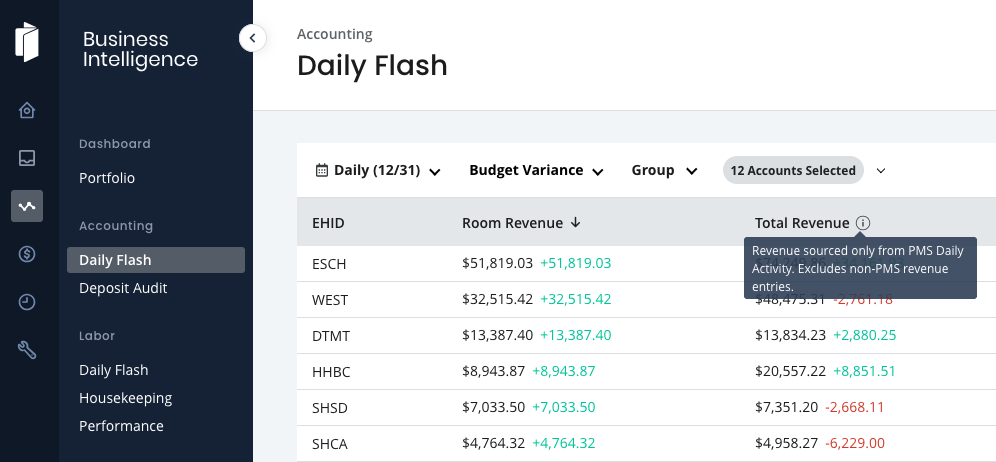
A new revenue metric has been added to the Daily Flash report to provide visibility into actual daily PMS-driven revenue without impacting existing accounting-based metrics.
Metric details:
The calculation logic mirrors exactly what is shown in the Daily Activity Report to ensure consistency.

Business Intelligence: Automatic Key Metrics Dashboard for New Tenants
When dashboards are enabled for a new tenant, Inn-Flow now automatically proviides a Key Metrics dashboard for Admin users.
What happens automatically:
- The Key Metrics dashboard is created once per tenant.
- One Admin user is assigned as the dashboard owner.
- The dashboard is shared with all users in the Admin role, including future Admins.
- The dashboard is set as the default landing view for Admins upon login.
Admins can edit, delete, or share the dashboard as needed. If removed or modified, the original Key Metrics template remains available for reuse.
Accounting - Reports: Operating Statement for Owners – Alphabetical COA Sorting
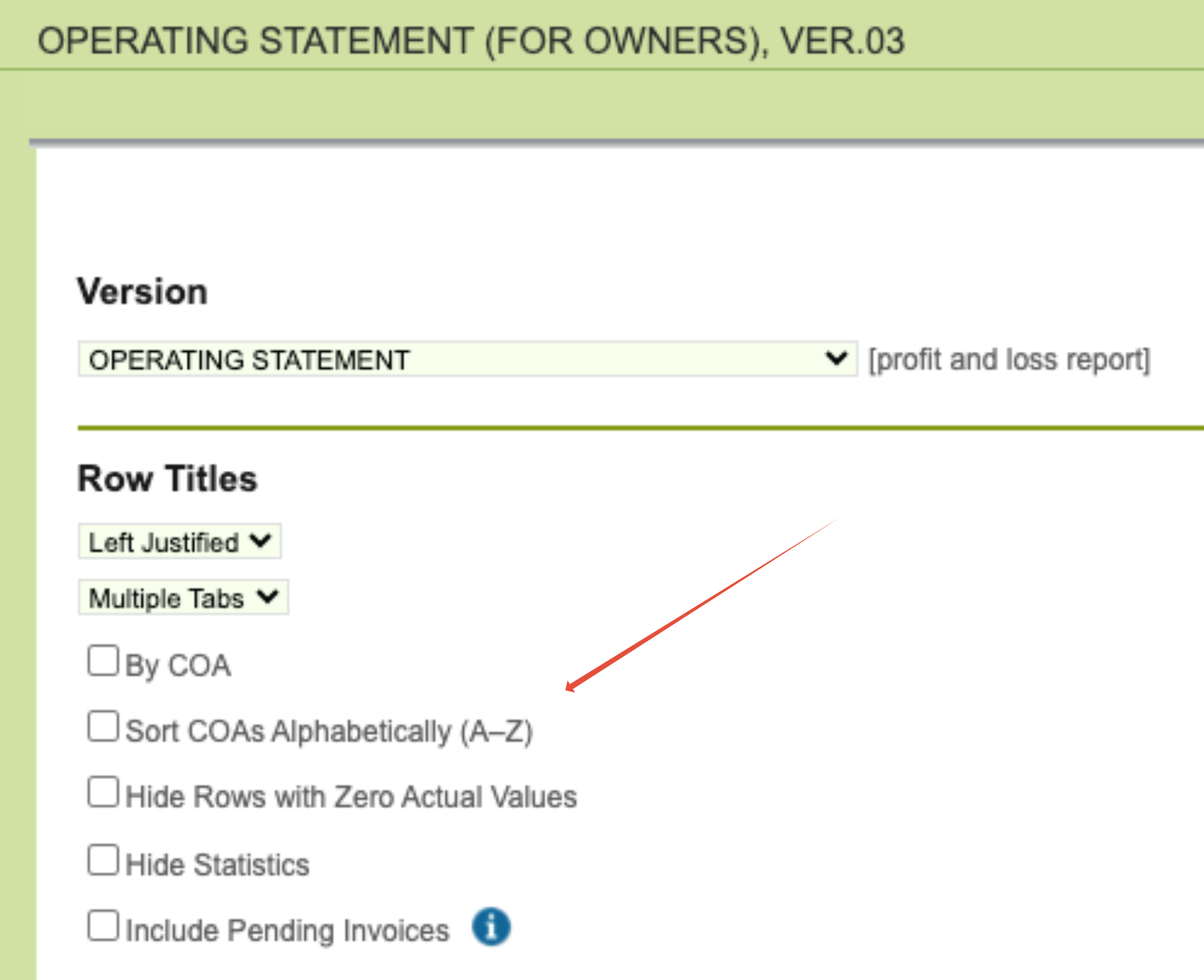
Operating Statement for Owners reports now supports alphabetical sorting of Chart of Accounts (COAs) within each section, improving readability and consistency.
New option added to the following reports:
- Operating Statement for Owners (Current Period)
- Operating Statement for Owners (12 Accounting Periods)
- Operating Statement for Owners (Original Budget)
Details:
- A new checkbox, “Sort COAs Alphabetically (A–Z)”, is available in the report configuration under Row Titles when these reports are selected.
- When enabled prior to running the report, COAs are displayed alphabetically by name within each section across all pages.
- Rows where COA = “Multiple” are now always sorted alphabetically by default, regardless of report settings.
Was this article helpful?
That’s Great!
Thank you for your feedback
Sorry! We couldn't be helpful
Thank you for your feedback
Feedback sent
We appreciate your effort and will try to fix the article