See below for more details into the enhancements released:
TABLE OF CONTENTS
- Accounting - Invoice Approval Page Improvements
- Operational Budgets & Forecasting 2.0
- Daily Activity Entry & Auto Import Tabs
- Labor Management - Netchex Time & Attendance Export Update
- Labor Daily Flash Updates
- Increased Threshold for Total Hours/Week
- Rate Logic Alerts
- Business Intelligence - GOP % (Gross Operating Profit %) – Portfolio Metric
Accounting - Invoice Approval Page Improvements
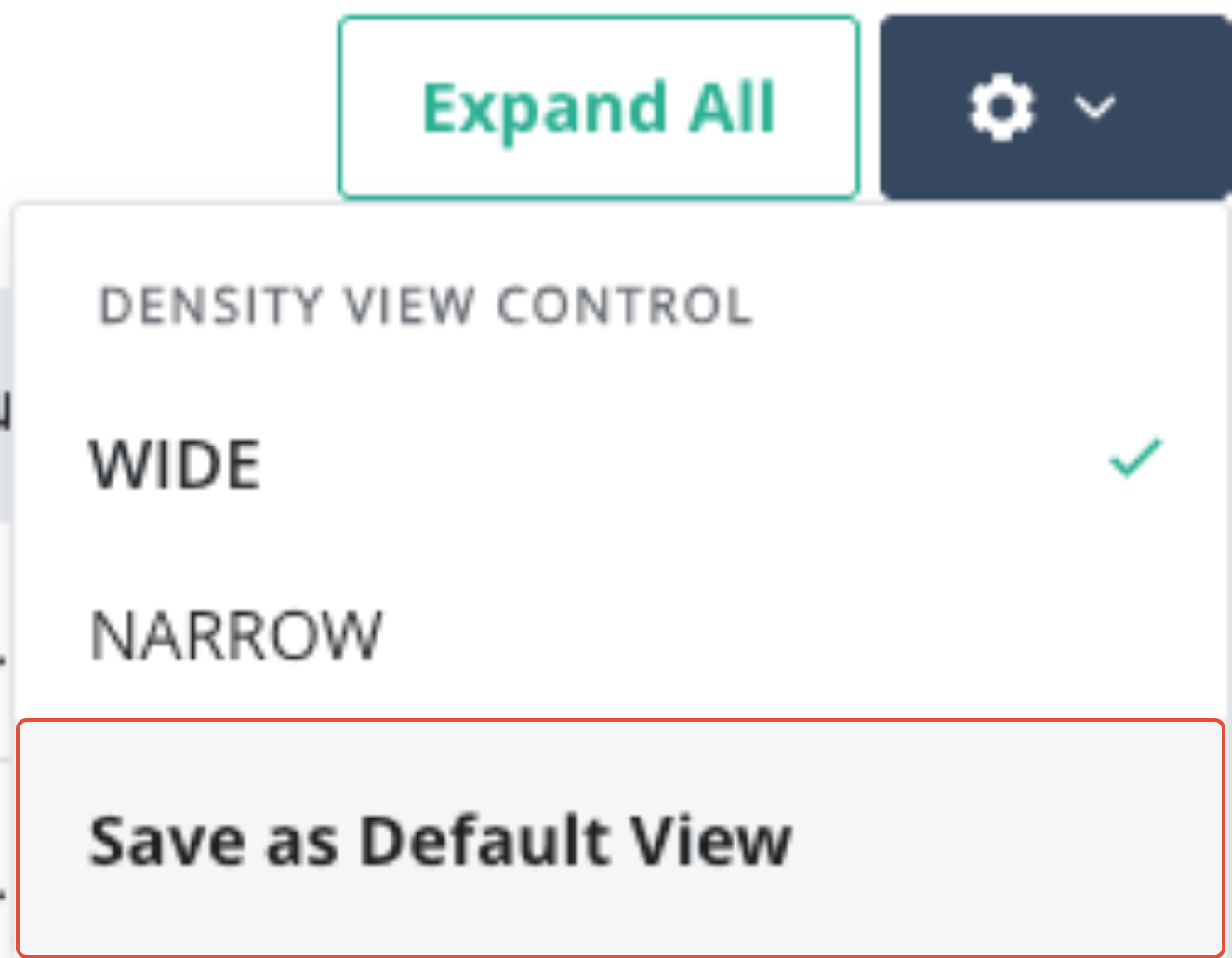
Performance improvements were made to increase the speed at which the page loads, providing a much better user experience. Also, we've added a new “Save as Default View” option within the settings cog to allow users to save their column sorting preference.
Operational Budgets & Forecasting 2.0
Expanded Operational Budgets & Forecasting 2.0 to include:
- Updated the bulk action visibility when copying from previous year.
- Total column now remains sticky to allow better visibility
- Added tooltip and education to the Segmentation Mix section to help explain the purpose and alleviate confusion.

- Added the Factor Method column back to the Import Template to allow users to choose what data should be imported or excluded. (see instructions sheet in the template)
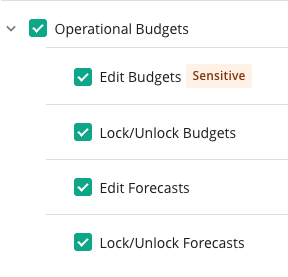
- Added the ability to lock/unlock forecasts (with new permissions and Change Log entries), giving organizations tighter control over forecast changes and status tracking.
Daily Activity Entry & Auto Import Tabs
The Auto Import Errors tab will now open in a new browser tab for a better user experience when completing Daily Entries. Also, we've introduced a link to the Knowledge Base for additional self-help assistance for Troubleshooting Daily Activity.
Labor Management - Netchex Time & Attendance Export Update
The Netchex Payroll Export format has been updated to better align with Netchex specifications and reduce manual file adjustments.
Labor Daily Flash Updates
Expanded the Labor Daily Flash with:
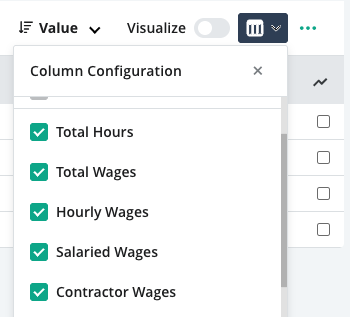
- Optional columns for Hourly, Salaried, and Contractor Wages.
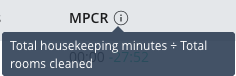
- A new MPCR (Minutes per Cleaned Room) column sourced from existing datasets, surfacing housekeeping productivity directly in the Daily Flash.
Increased Threshold for Total Hours/Week
In Administration > Users, Salaried employees hours can now exceed 40 hours/week to account for different employment contracts.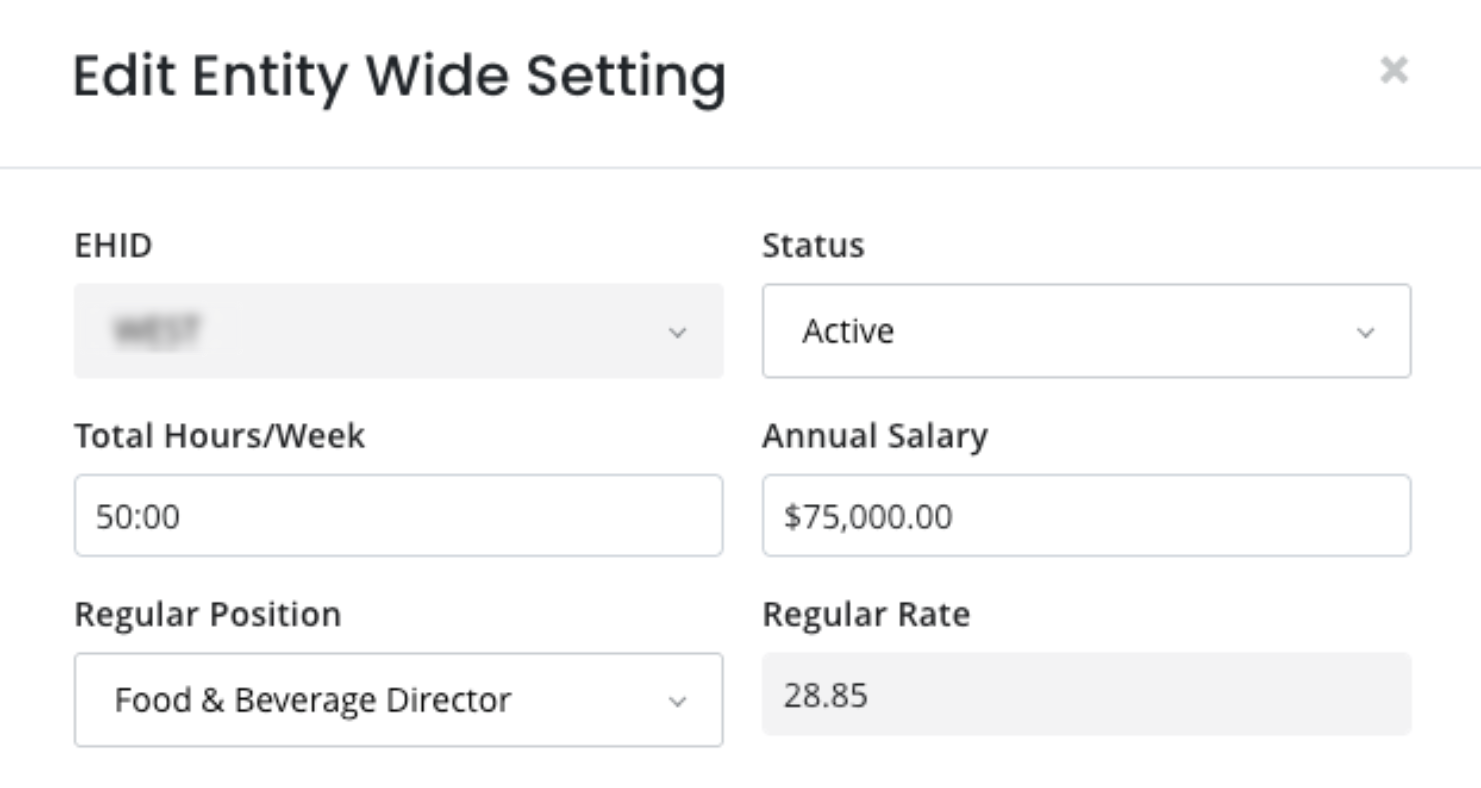
Rate Logic Alerts
Now, alerts will appear on payroll, user profiles, and other pages in Inn-Flow to inform you that rates are currently recalculating across the system. This ensures you are aware that reports are in the process of updating, and that the displayed data may not reflect the recent updates.
Business Intelligence - GOP % (Gross Operating Profit %) – Portfolio Metric
Introduced GOP % as a standard metric in our Business Intelligence module, with correct aggregation across single and multiple hotels and key date ranges (MTD, Last Month, YTD, T12, etc.).
Added support for Bar Graph and Line Chart card types on the Portfolio Dashboard that visualizes GOP % by property with optional comparisons vs Budget, Forecast, and Last Year.
Was this article helpful?
That’s Great!
Thank you for your feedback
Sorry! We couldn't be helpful
Thank you for your feedback
Feedback sent
We appreciate your effort and will try to fix the article