See below for more details into the enhancements released:
TABLE OF CONTENTS
- Accounting - Entity Drop-Down Sorting
- Accounting - FOSSE Redemption Codes – Dual Brand Support
- Accounting - Bulk Change Payment Method
- Bank Sync - Enhanced Transaction Detail Visibility
- Communications Inbox - Flagged Transactions Improvements: New “Flagged From” Filter
- Communications Inbox - Flagged Transactions: Default View Updated to “All”
- Business Intelligence - Portfolio Flash Report: Display Format Toggle
- Daily Flash Enhancements: Daily Activity Completion Indicator
- Daily Flash Enhancements: New Column Options
Accounting - Entity Drop-Down Sorting
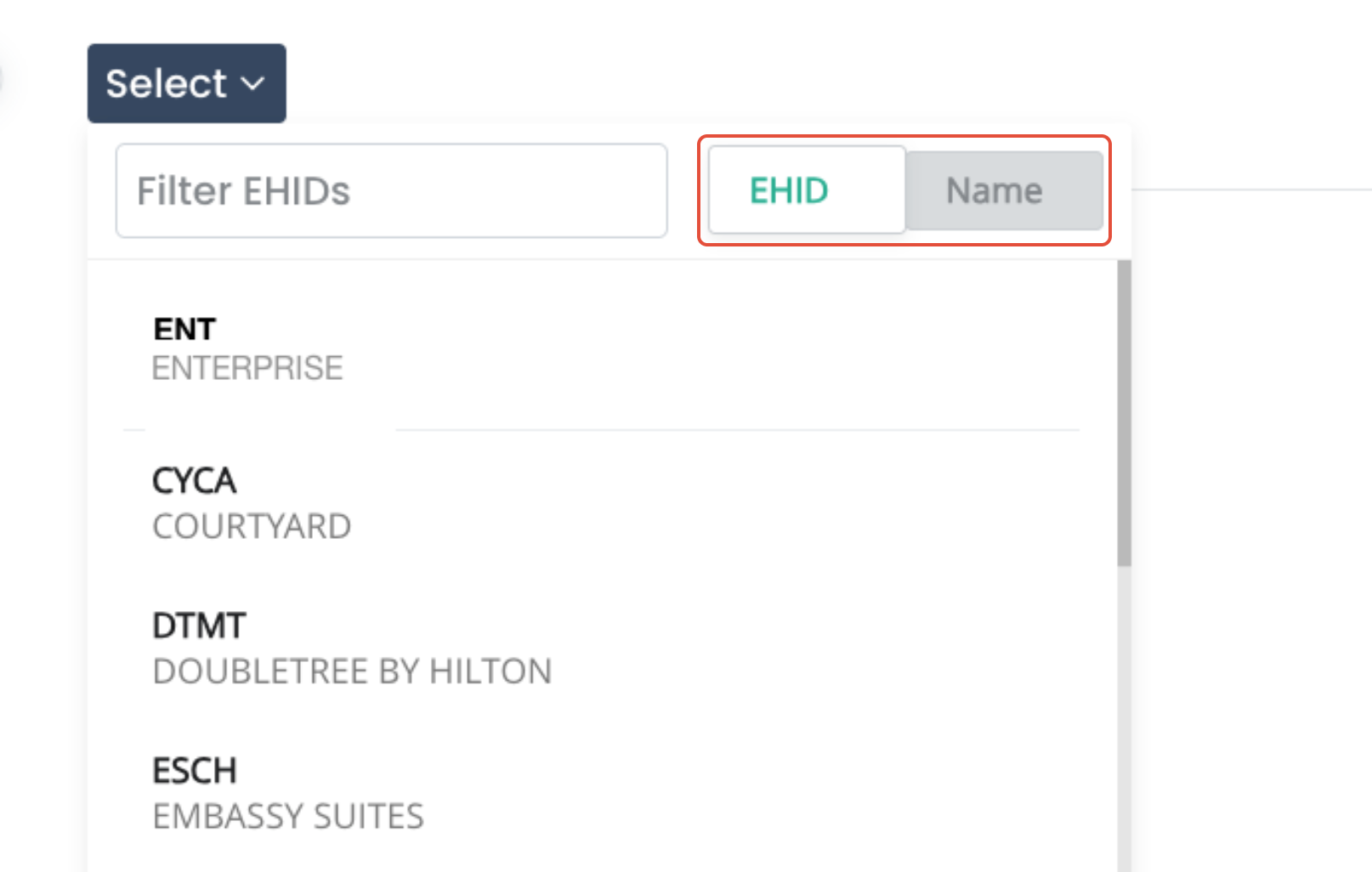
Accounting & Labor 2.0 Entity selection drop-down menus now include:
- Sort by:
- EHID (default)
- Entity Name
- Alphabetical sorting (A–Z)
- Clear bold primary label with secondary subtext
- Section-aware sorting (Enterprise, Active/Inactive, etc.)
Operational Budgets landing page now supports:
- Entity Name as primary bold text
- EHID as subtext
This significantly improves speed and accuracy when working across multiple properties.
Accounting - FOSSE Redemption Codes – Dual Brand Support
For dual-brand FOSSE PMS properties:
- Redemption code mapping logic now applies to both PMS file sets
- Revenue values combine correctly
- Segmentation totals reflect accurate reporting
- Eliminates Daily Activity variances caused by split PMS environments
- FOSSE: Mapping MBV Redemptions to Import in Segmentation
Accounting - Bulk Change Payment Method
On Payments → Unpaid, users can now:
- Select multiple invoices
- Bulk update the payment method to:
- Check
- Manual ACH
- ePay
- Credit Card
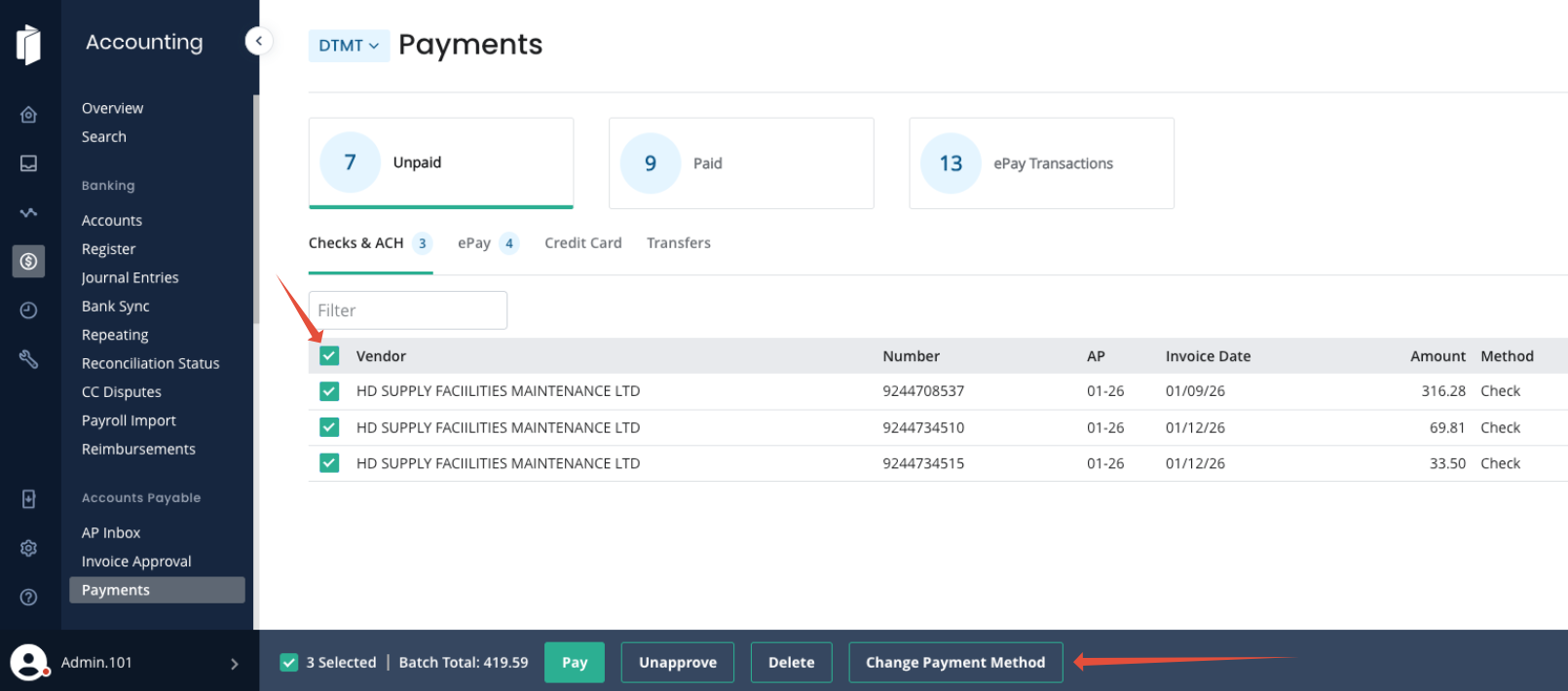
Invoices immediately update and move into the appropriate workflow. This reduces manual editing when correcting payment routing in batches.
Bank Sync - Enhanced Transaction Detail Visibility
Bank Sync now provides improved clarity when reviewing transactions:
- Hover tooltip displays:
- Merchant Name (if available)
- Full original bank description
- Matched Entry column now shows:
- Vendor name (primary line)
- Date and amount (secondary line)
- Amount highlighting:
- Green for exact matches
- Orange for mismatches (hover provides difference in amounts)
- Payroll Checks now shown Individually on Bank Sync page:
- Bank Sync will show and match individual payroll checks when they are separated in the Register Page.
- Users can search and manually match these using the ‘find’ option if no automated match is found
These enhancements streamline reconciliation and reduce matching errors.
Communications Inbox - Flagged Transactions Improvements: New “Flagged From” Filter
Within Communications Inbox → Flagged Items, users can now filter by the location where the flagging occurred:
- Bank Sync
- AP Inbox
- Other (Withdrawal, Deposit)
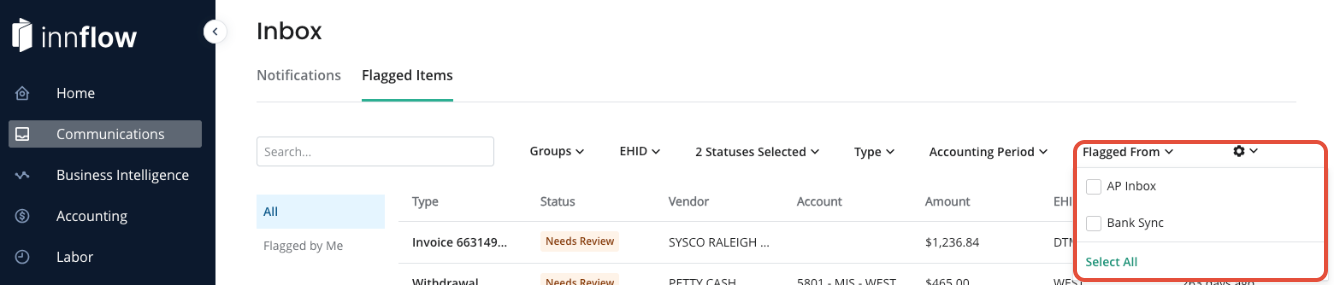
Historical flagged transactions without a source continue to display to ensure nothing is hidden.
Communications Inbox - Flagged Transactions: Default View Updated to “All”
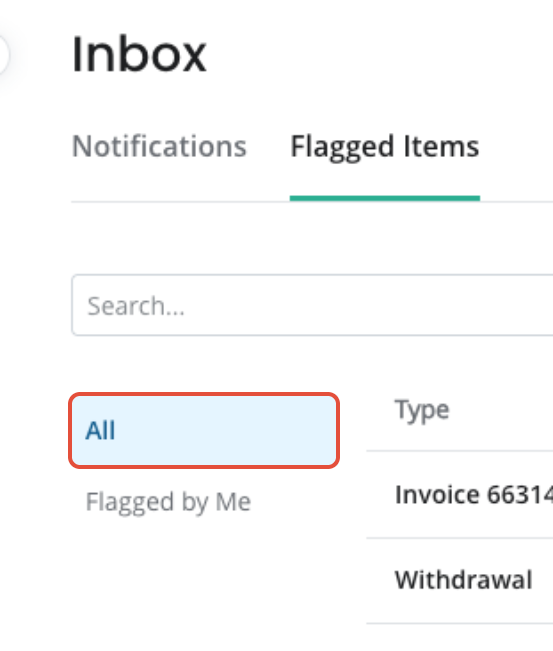
The Flagged Items tab now defaults to “All” instead of “Flagged by Me,” improving visibility for Admin and bookkeeping users.
Accounting Reports - Daily Flash Report: Display Format Toggle
Users can now toggle property display format in Daily Flash #6 between:
- EHID
- Hotel Name
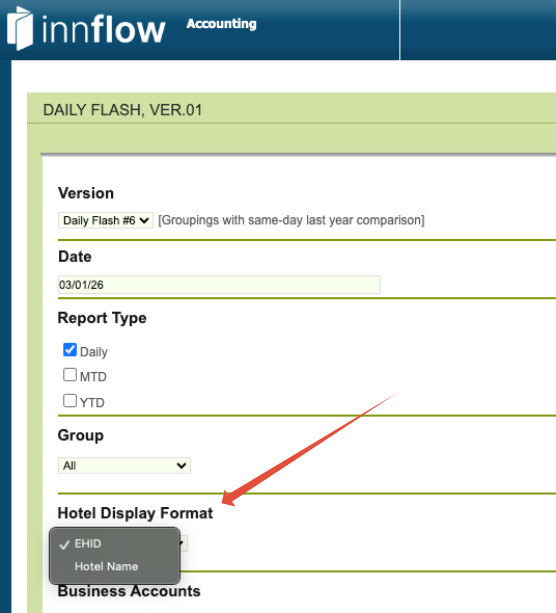
This allows teams to align reporting views with internal naming conventions. Upon selection of Hotel Name, the EHID table will be hidden from the report.
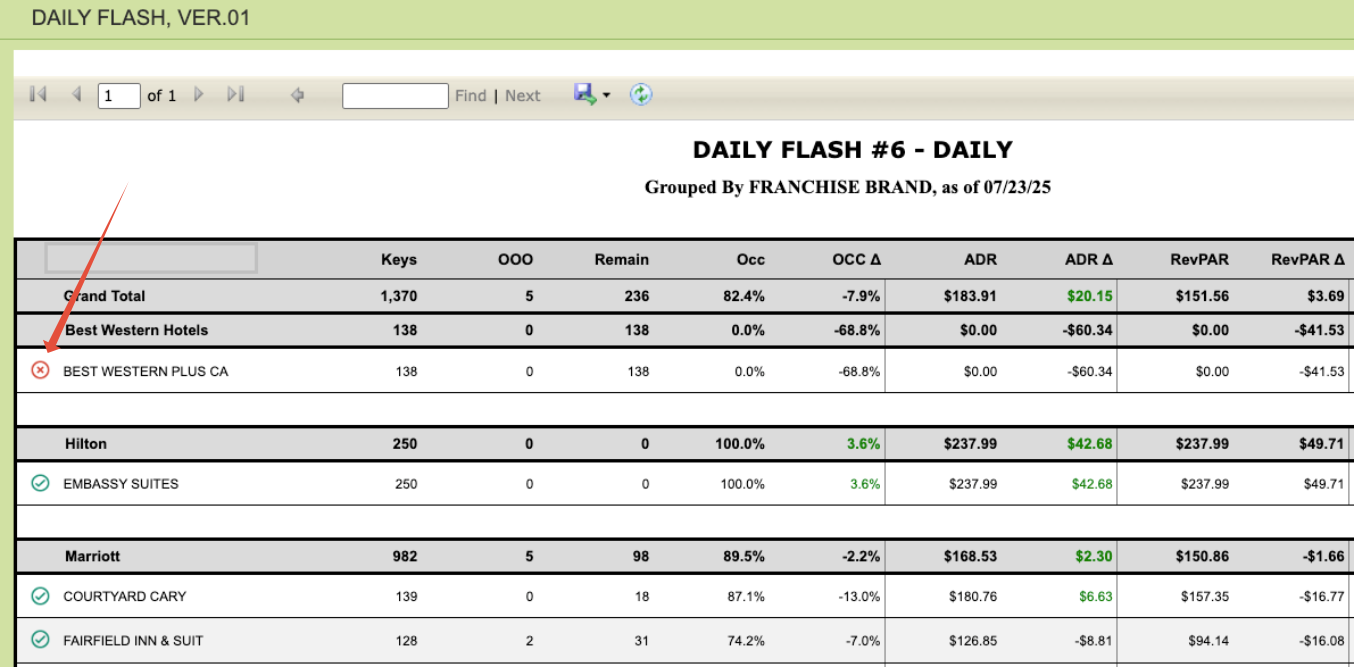
Daily Flash Enhancements: Daily Activity Completion Indicator
Daily Flash now includes a visual completion indicator for Daily Activity, giving users clearer operational visibility accessibly.
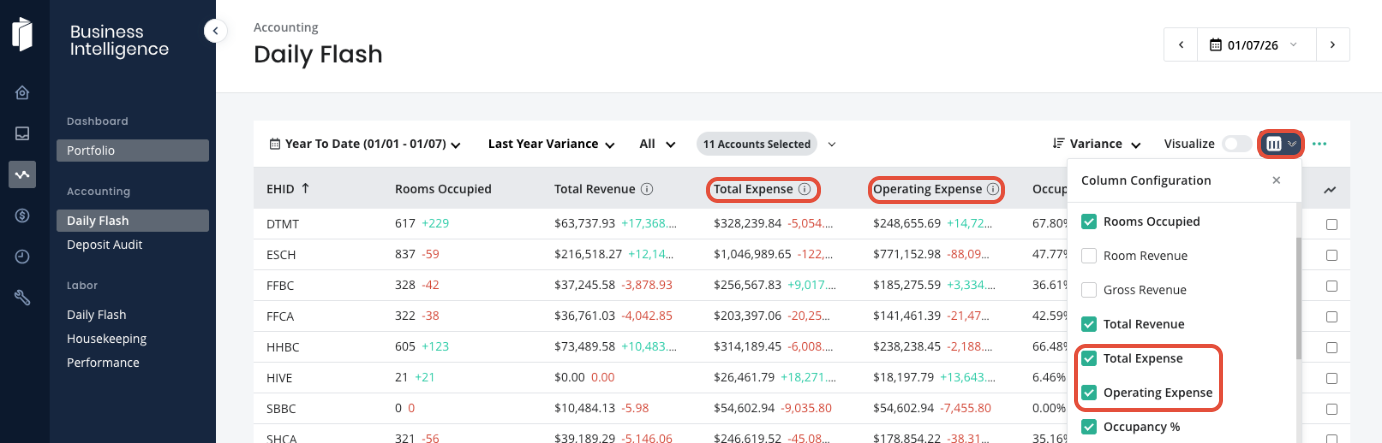
Daily Flash Enhancements: New Column Options
Users can now add:
- Total Expenses
- Gross Expenses
to Daily Flash column selections for expanded financial reporting flexibility. Please note: these figures are on an Accrual Basis – so the figure is displaying what expenses belongs to the month, even if it was not paid that day.
Was this article helpful?
That’s Great!
Thank you for your feedback
Sorry! We couldn't be helpful
Thank you for your feedback
Feedback sent
We appreciate your effort and will try to fix the article