Yes, Holiday Pay can be added if the payroll has not yet been processed for the pay period it falls in.
Note: Each year, it is imperative that the Holiday Calendar is approved so that Holiday Pay is applied to each Holiday as expected.
Step 1: You'll need to Unapprove any dates or departments that need updates. You will not be able to update any Timesheet if the day/department is approved. Navigate to Labor Management > Unapprove, and deselect the necessary boxes.
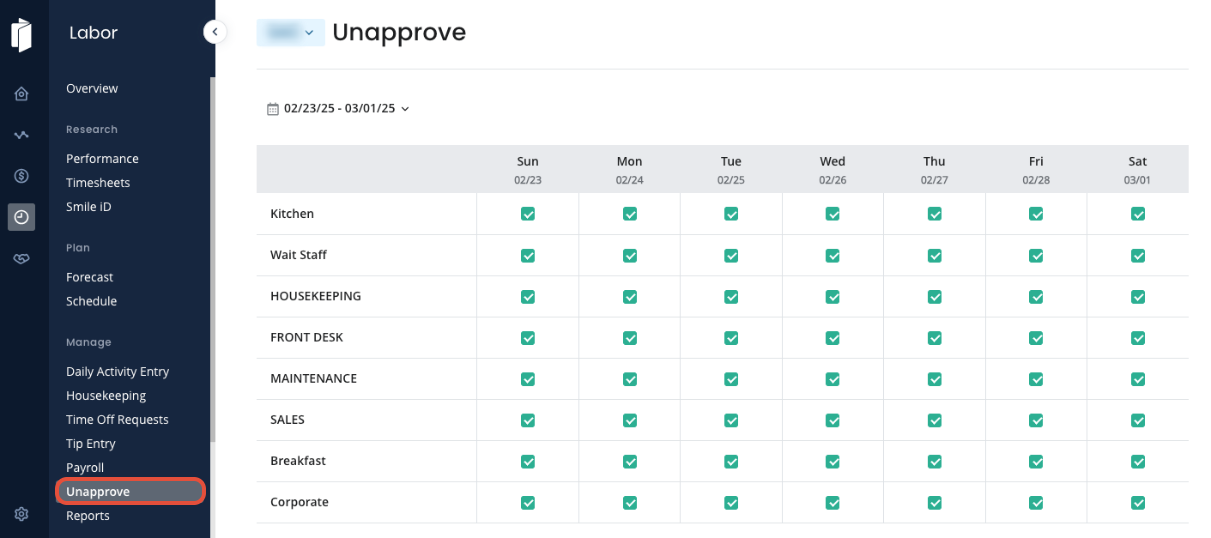
Once the dates have been unapproved, you are free to make your changes.
Step 2: Navigate to Labor Management > Holidays. Add the Holiday as necessary, using the steps outlined in this article: Holidays.
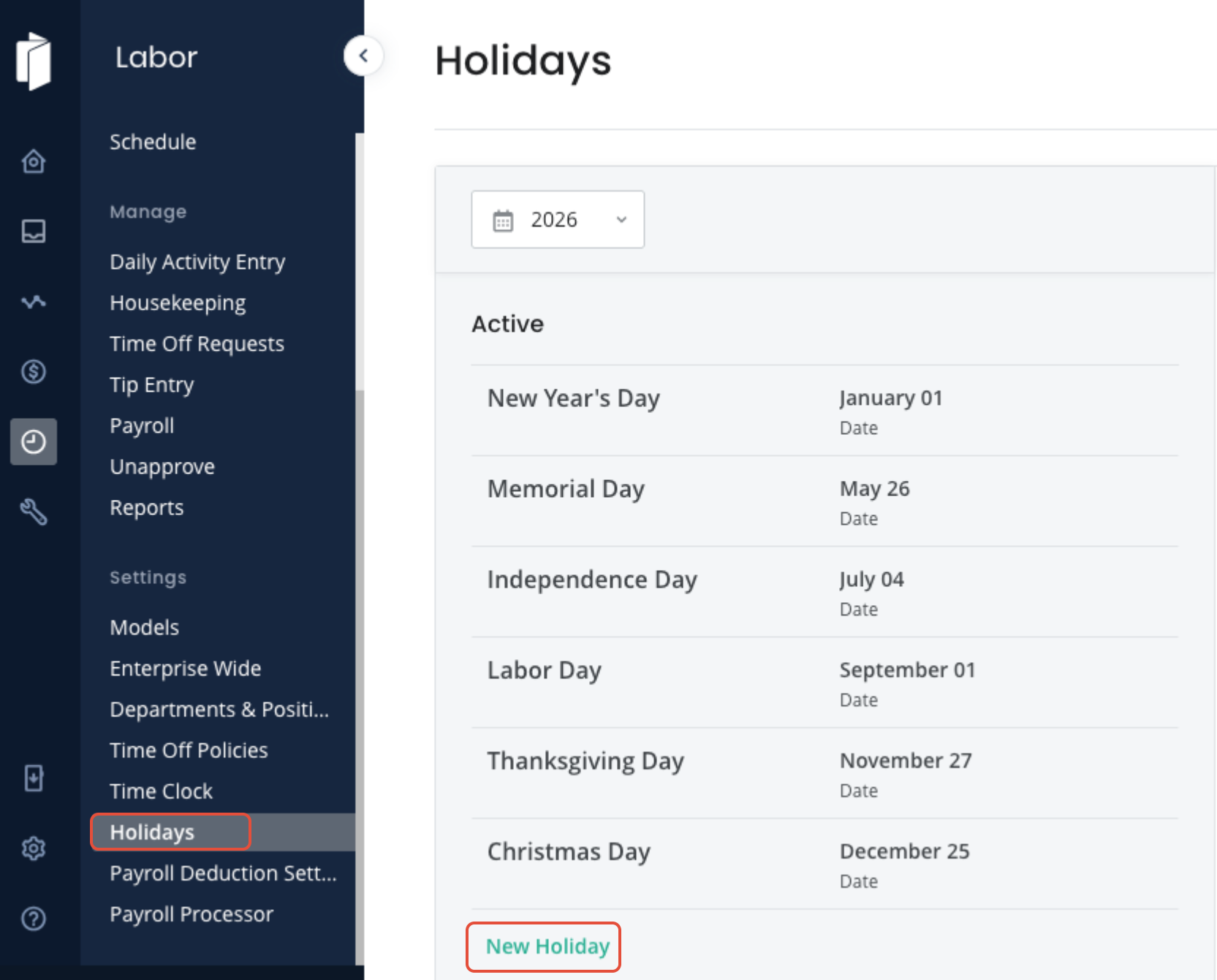
Step 3: Once you have made all changes, complete the approval process to re-approve the day.
Was this article helpful?
That’s Great!
Thank you for your feedback
Sorry! We couldn't be helpful
Thank you for your feedback
Feedback sent
We appreciate your effort and will try to fix the article