This month's release adds an iSolved payroll export to Labor, more flexibility in Daily Activity 2.0 entry, and faster user setup.
See below for more details into the enhancements released:
TABLE OF CONTENTS
- Labor Management - iSolved Employee Time Export
- Labor Management - Overview Label Change
- Accounting: Daily Activity 2.0 - Stay on the Tab You’re Working In
- Accounting: Daily Activity 2.0 - Complete Entry from Any Tab
- Accounting: Daily Activity 2.0 - Bank Account Changes Reach Outstanding Deposits
- User Management - Faster Hotel Access
Labor Management - iSolved Employee Time Export
Properties on iSolved can generate an iSolved-ready time file directly from finalized time. Hours - regular, overtime, holiday, holiday worked, PTO and retro - and dollar earnings such as bonus, tips, mileage and reimbursements arrive in the matching iSolved columns, ready to import.

Labor Management - Overview Label Change
The Labor Overview now labels the section “Properties without Room Assignments,” so it is clear at a glance which properties still have rooms to assign.
Accounting: Daily Activity 2.0 - Stay on the Tab You’re Working In
Saving keeps you on the tab you’re working in, so you can move through a day’s entry in one pass.
Accounting: Daily Activity 2.0 - Complete Entry from Any Tab
Complete Entry sits in the page header, so you can finish the day from anywhere in the workflow — entry, checklists or review tasks. Days with no data to record, such as a closed seasonal property, can be completed after a quick confirmation, so the day rolls over.

Accounting: Daily Activity 2.0 - Bank Account Changes Reach Outstanding Deposits
Change a bank account in Daily Activity Setup, then re-save Payments on a day, and the new account applies to that day’s deposit — including days that are still outstanding, so properties catching up on entry route their deposits to the right account.
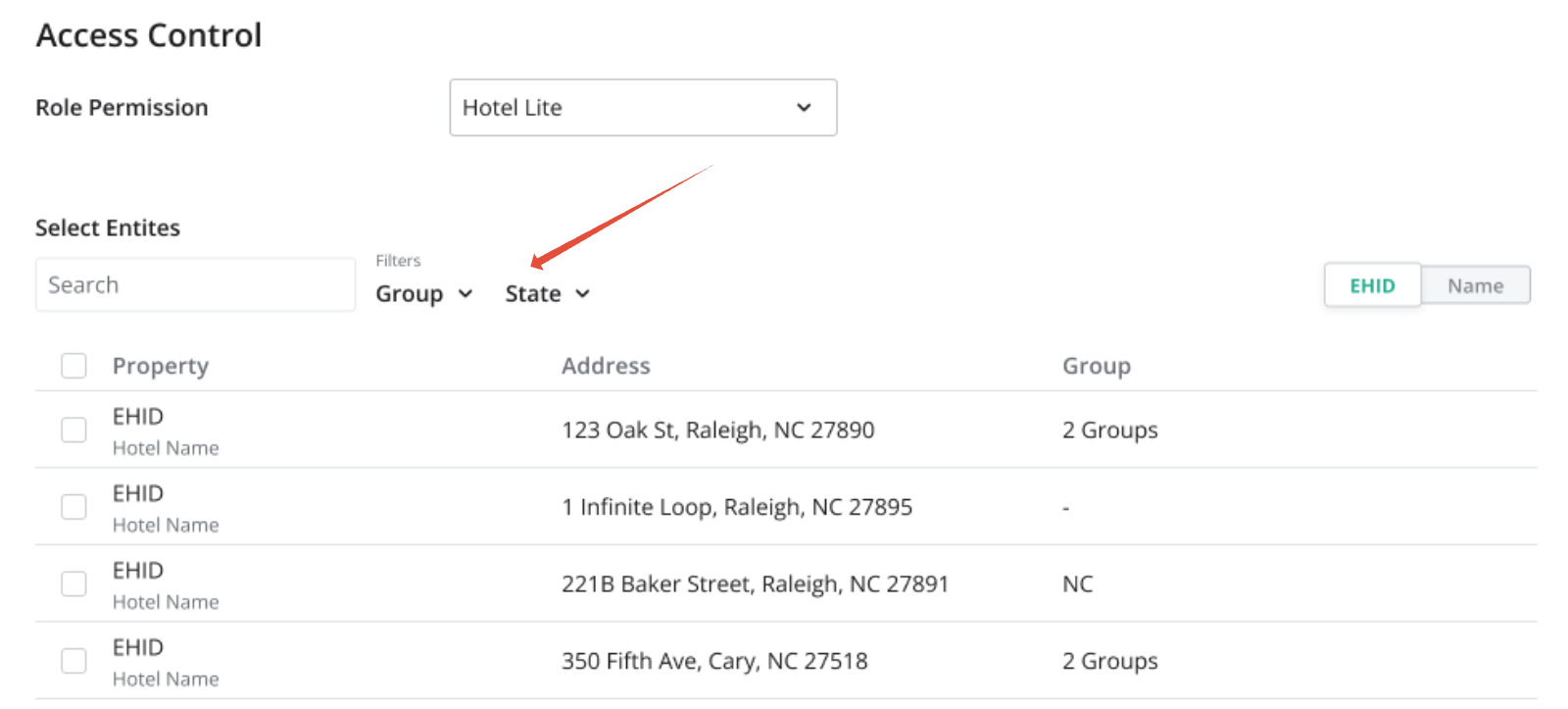
User Management - Faster Hotel Access
Granting a user access to hotels is now a searchable panel with checkboxes, and a new Groups option applies a whole region in one click.
- The user’s current access is pre-checked
- You see only groups containing hotels you have access to
- Applying a group selects those hotels once — it does not keep them in sync if the group changes later
Was this article helpful?
That’s Great!
Thank you for your feedback
Sorry! We couldn't be helpful
Thank you for your feedback
Feedback sent
We appreciate your effort and will try to fix the article