See below for more details into the enhancements released:
TABLE OF CONTENTS
- Accounting - Scheduled Email Reports: Excel Attachments & More Flexible Scheduling
- Accounting - Daily Activity 2.0: Upload Files After Manual Entries
- Communication Inbox: Notifications Always Open the Current Invoice
- Business Intelligence - Deposit Audit: Clearer, More Accurate Totals
- Facilities Maintenance - Preventative Maintenance Locations: Comments & Attachments (Web)
- Facilities Maintenance - Assets: Add Training Videos in Bulk
- Facilities Maintenance - Assets: Attach Larger Manuals & Warranties
- Facilities Maintenance - Work Orders: See When Each Work Order Was Created
- Labor Management - Payroll Export: Correct Overtime Across Properties Sharing a Tax ID
- Labor Management - Punch History Report: Only the Properties That Matter
- Labor Management - Labor Forecast: Housekeeping Pay-Per-Room Detail
- Labor Management - Labor Summary: Complete Weekly Cost Picture
- Labor Management - Labor Calculation Engine: Break Reduction & Auto True Up
Accounting - Scheduled Email Reports: Excel Attachments & More Flexible Scheduling
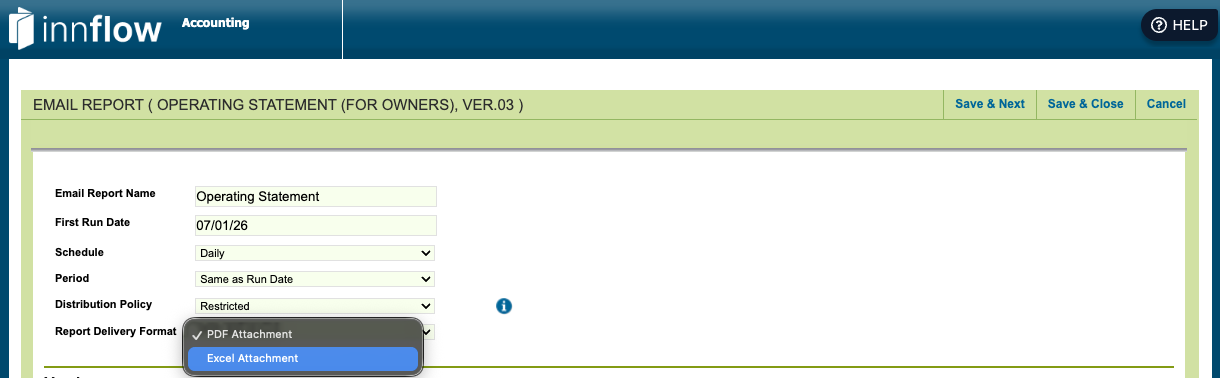
Scheduled reports now offer more control over how and when they arrive in your inbox:
- Excel delivery - all supported email reports can now include an Excel attachment (in addition to PDF)
- Operating Statement layout choice - choose whether the Excel version arrives with each section on its own worksheet tab or the entire P&L on a single tab
- Smarter weekly timing - for the One Week Trailing Comparison, a new "Prior Week Ending On…" option lets you pick the day your reporting week ends (e.g., Saturday) while the email still arrives on your chosen send day (e.g., Monday). Your team gets a complete week of finalized numbers instead of a week cut off mid-stream.
Accounting - Daily Activity 2.0: Upload Files After Manual Entries
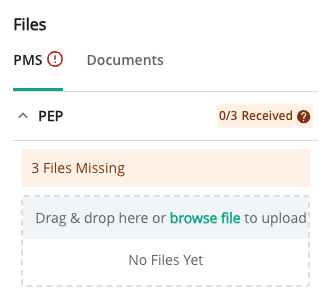
- You can now upload your property files at any time - even after manual entries have been saved for the day.
- Before uploading, a confirmation message explains that manual entries for that day will be replaced with the data from the uploaded files, so nothing is overwritten by surprise.
- Previously, saving a manual entry blocked file uploads for that day entirely.
Communication Inbox: Notifications Always Open the Current Invoice
- Opening an invoice from a Communication Inbox notification now always shows the invoice's current status and comments.
- Previously, a notification created while an invoice was still a draft could open the outdated draft version even after the invoice had moved on to approval or completion.
Business Intelligence - Deposit Audit: Clearer, More Accurate Totals
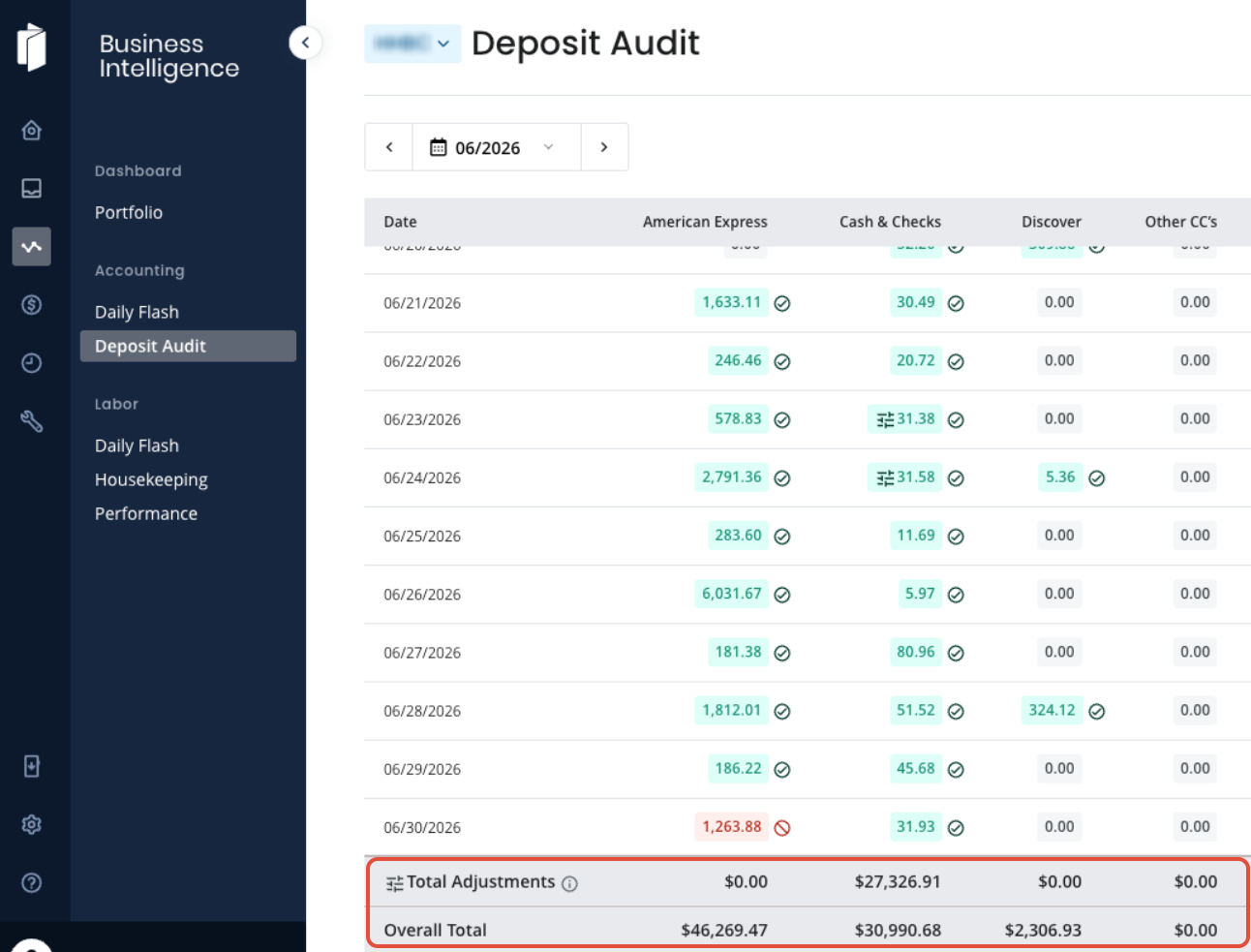
- The "Total Adjustments & Commissions" row is now simply "Total Adjustments," with styling that matches the adjusted rows above it and a clarified hover description.
- The "Overall Total" row now always equals the exact sum of the column above it for the period you're viewing — no more confusing discrepancies.
- Quickly confirm whether a month's adjustments net to zero or reveal a real variance, without digging into individual rows.
Facilities Maintenance - Preventative Maintenance Locations: Comments & Attachments (Web)
- Preventative Maintenance locations now support comments and attachments, just like Work Orders.
- You can now add comments with @mentions to coordinate work and keep an auditable record of activity, displayed in chronological order.
- Attach photos and files (PDFs, documents) directly to a PM location — attachments are always visible, open in a preview, and every add or removal is recorded in the history log.
- Available on web now — mobile support is coming in a future release.
Facilities Maintenance - Assets: Add Training Videos in Bulk
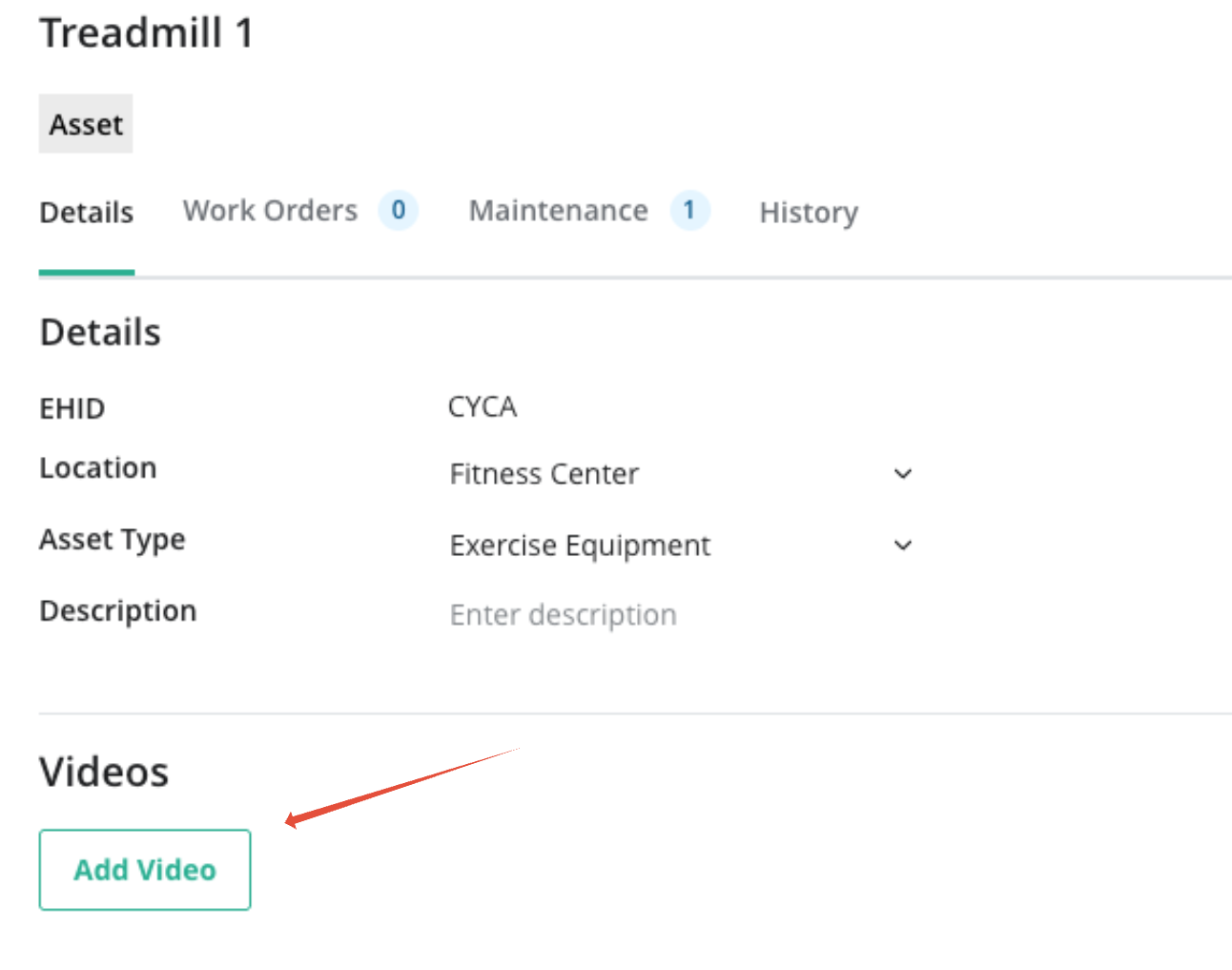
- Video links can now be added to many assets at once through the bulk import/edit template, instead of one asset at a time.
- Ideal when onboarding a new property or rolling out updated training videos across a large asset library.
Facilities Maintenance - Assets: Attach Larger Manuals & Warranties
- Manual and warranty attachments on asset records now accept files up to 25 MB.
- Full equipment PDF manuals (HVAC, PTAC, and similar) can now be stored right on the asset — no more workarounds.
Facilities Maintenance - Work Orders: See When Each Work Order Was Created
- A new sortable "Created On" column in the Work Orders list shows when each work order was opened.
- Spot stale or aging work orders at a glance, without opening each one.

Labor Management - Payroll Export: Correct Overtime Across Properties Sharing a Tax ID
- For portfolios where multiple properties share the same federal payroll tax ID (FEIN), payroll exports now combine hours and calculate overtime across all of those properties together.
- Employees who work at more than one of your properties are paid correctly under federal blended overtime rules.
- This now works regardless of which payroll provider you use.
Labor Management - Punch History Report: Only the Properties That Matter
- When you run the Punch History (Detail by Employee) report across all your properties, it now shows only the properties where that employee actually worked.
- No more scrolling past rows of zeros — find an employee's punch history even if you don't know which property they worked a.
Labor Management - Labor Forecast: Housekeeping Pay-Per-Room Detail
- The Labor Forecast report now breaks out Paid-Per-Room-Cleaned housekeeping labor by your property's configured service levels, with a cost total for each level.
- Review projected housekeeping labor spend at the level of detail you actually manage it — before the period closes.
Labor Management - Labor Summary: Complete Weekly Cost Picture
- The trailing one-week Labor Summary now includes all wage types — including Paid-Per-Room-Cleaned wages — so weekly labor cost figures are complete and accurate for every pay model.
Labor Management - Labor Calculation Engine: Break Reduction & Auto True Up
- The New Calculation Engine now applies Automatic Break Reduction and Auto True Up settings when calculating actual shift hours.
Was this article helpful?
That’s Great!
Thank you for your feedback
Sorry! We couldn't be helpful
Thank you for your feedback
Feedback sent
We appreciate your effort and will try to fix the article