Payments can be moved if they are entered into an incorrect account, if the transaction meets the following criteria:
- The accounting period is Active.
- The transaction is unreconciled.
- It is not a check or ePay Method of Payment.
To move a Transaction:
1) Locate the transaction using the Search page, and click on it to open the details.
2) Click on Associated Payments section.
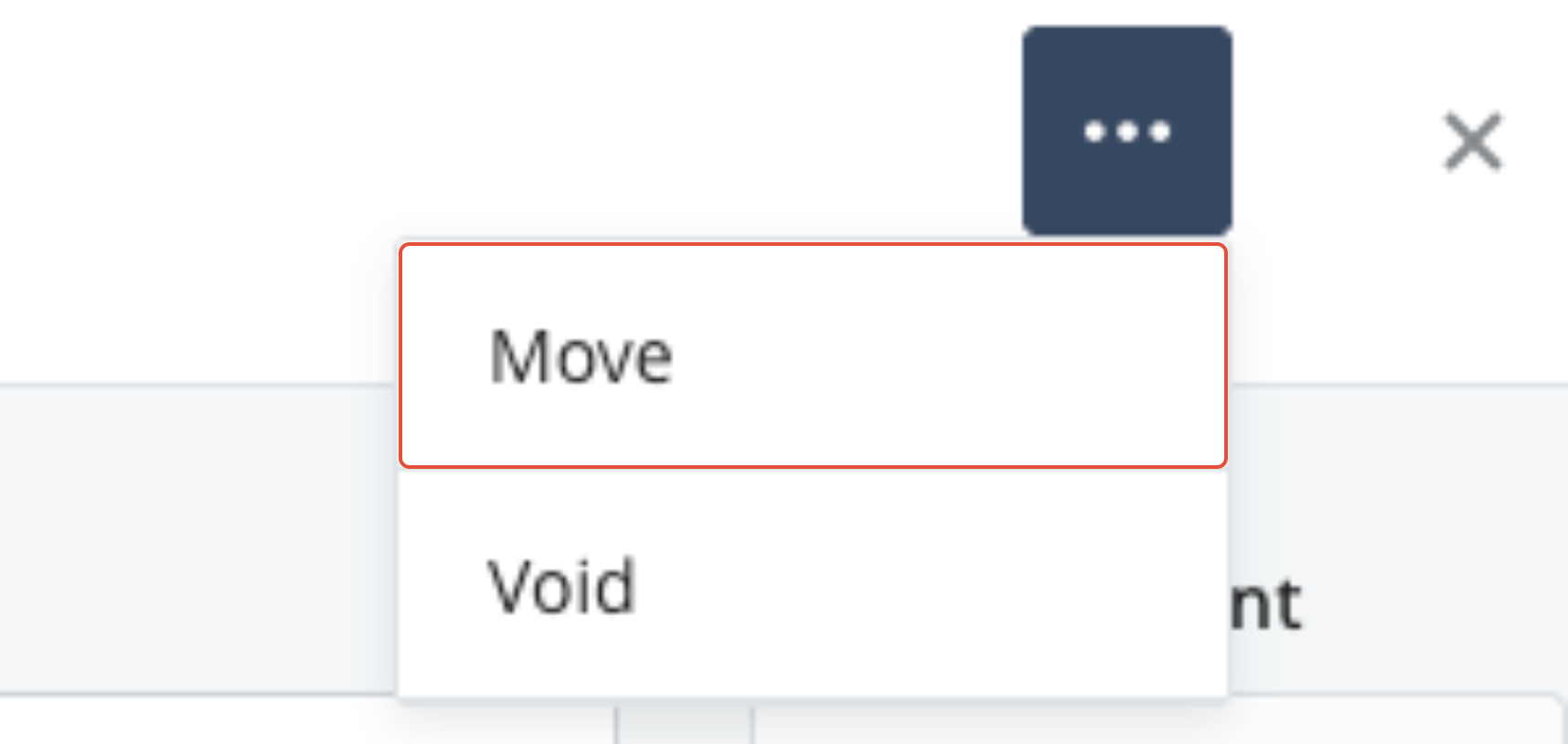
3) In the Triple Dot menu, select Move.
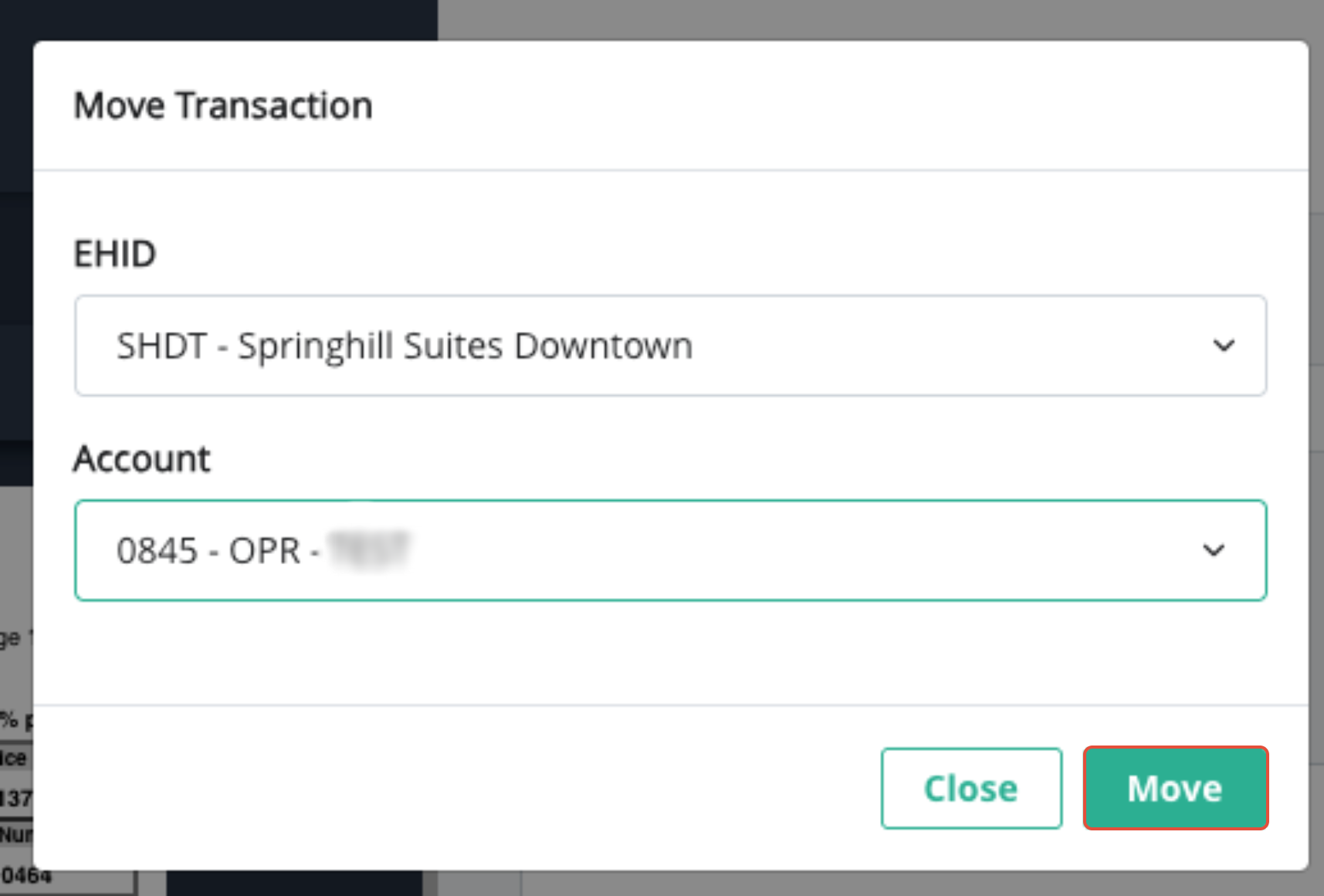
4) Select the HID and the account you'd like to move the payment to. Click Move.
Was this article helpful?
That’s Great!
Thank you for your feedback
Sorry! We couldn't be helpful
Thank you for your feedback
Feedback sent
We appreciate your effort and will try to fix the article