What are System Templates?
System Templates are pre-built maintenance checklists that Inn-Flow adds to your Procedures page within your Facilities account automatically.
They are designed to give you a ready-made starting point so you don’t have to build every procedure from scratch.
Think of System Templates like example worksheets:
- They show you what a complete procedure looks like
- They follow common, industry-standard maintenance routines
- They help you get up and running faster
You’ll see System Templates on the Procedures page as soon as Facilities is enabled for your property.
Why System Templates Exist
System Templates help you:
- Save time during setup
- Get Preventative Maintenance schedules running faster
- Follow consistent, standard maintenance routines
- Avoid missing important steps when building procedures
They’re especially helpful if you’re new to Facilities or setting up PM for the first time.
Important things to know about System Templates
System Templates are read-only.
That means:
- You cannot edit them
- You cannot delete them
- You cannot change the steps inside them
This is intentional. It keeps the original templates clean and consistent for everyone.
When you open one, you’ll see a message that explains:

How do I use a System Template?
You can use a System Template as-is.
If the checklist already matches how your property operates, you can:
- Use it for Preventative Maintenance schedules
- Rely on it without making any changes
You only need to duplicate a System Template if you want to customize it.
When should I duplicate a System Template?
You should duplicate a System Template if you want to:
- Add or remove checklist steps
- Adjust instructions to match how your team works
- Tailor it to your property, brand, or equipment
Duplicating lets you make changes without affecting the original template.
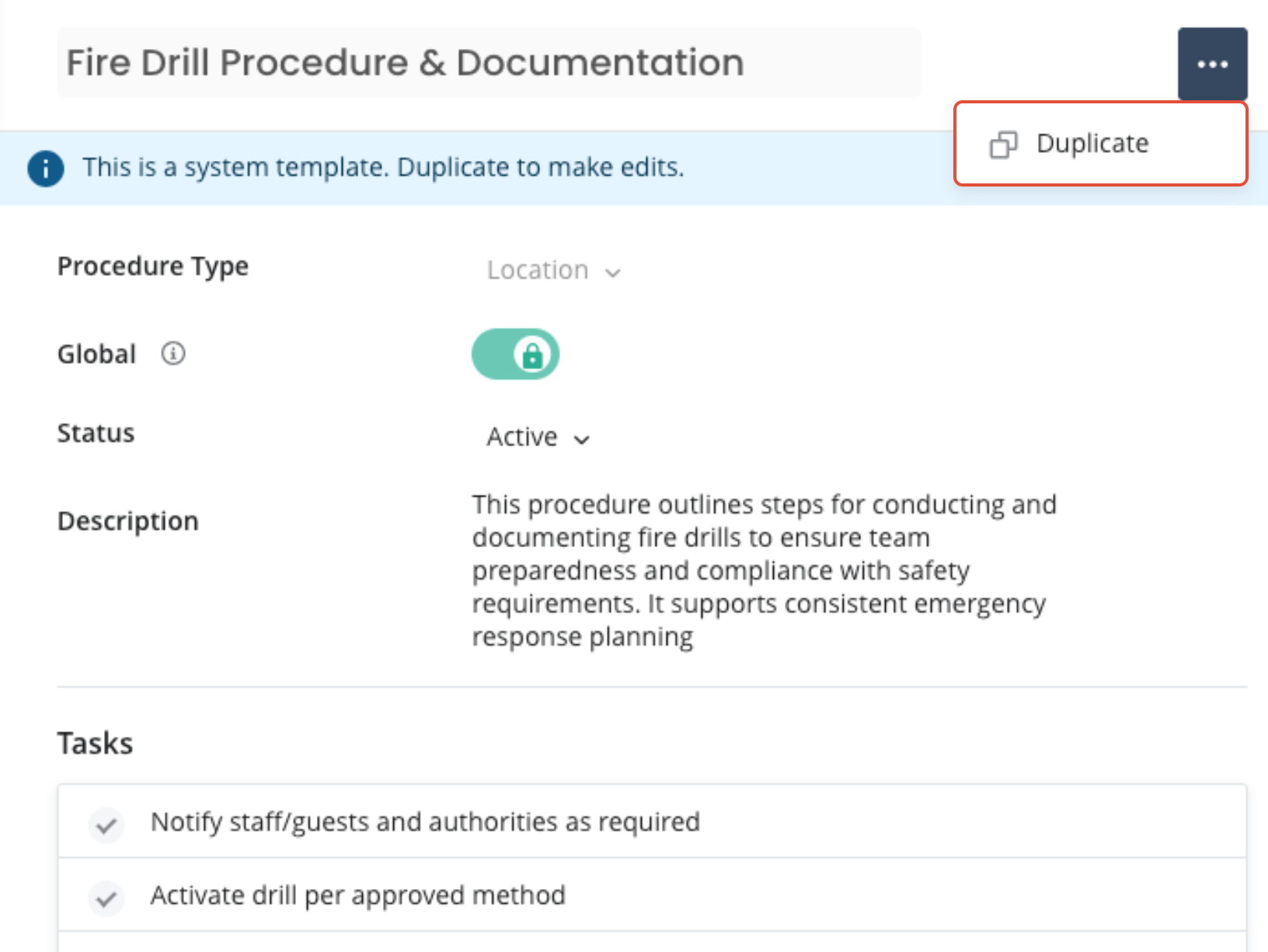
What happens when you duplicate a System Template?
When you click Duplicate:
- A new copy is created just for your property
- All steps are copied over
- The description is copied over
- The new version is fully editable
You can then:
- Rename it
- Add or remove steps
- Adjust instructions
- Use it in Preventative Maintenance schedules
The original System Template always stays unchanged. Think of it like using a recipe from a cookbook: you can follow it exactly, or copy it and tweak it to your taste.
What is the Description?
Each System Template includes a short Description that explains what the template is for and when it’s typically used.
The description:
- Is visible on the template
- Cannot be edited on System Templates
- Is copied over when you duplicate the template
Once duplicated, you can change the description on your own version to add property-specific notes.
Will System Templates affect my existing procedures?
No. If you already had procedures before System Templates were added:
- Nothing is changed
- Nothing is deleted
- Nothing is overwritten
System Templates are only added if a procedure with the same name does not already exist.
Best Practices
- Review the System Templates already in your account
- Duplicate the ones that are closest to what you need
- Customize the copies to fit your property
System Templates are meant to save you time, not restrict you. Use them as a foundation, then build from there.
Was this article helpful?
That’s Great!
Thank you for your feedback
Sorry! We couldn't be helpful
Thank you for your feedback
Feedback sent
We appreciate your effort and will try to fix the article