What You'll See
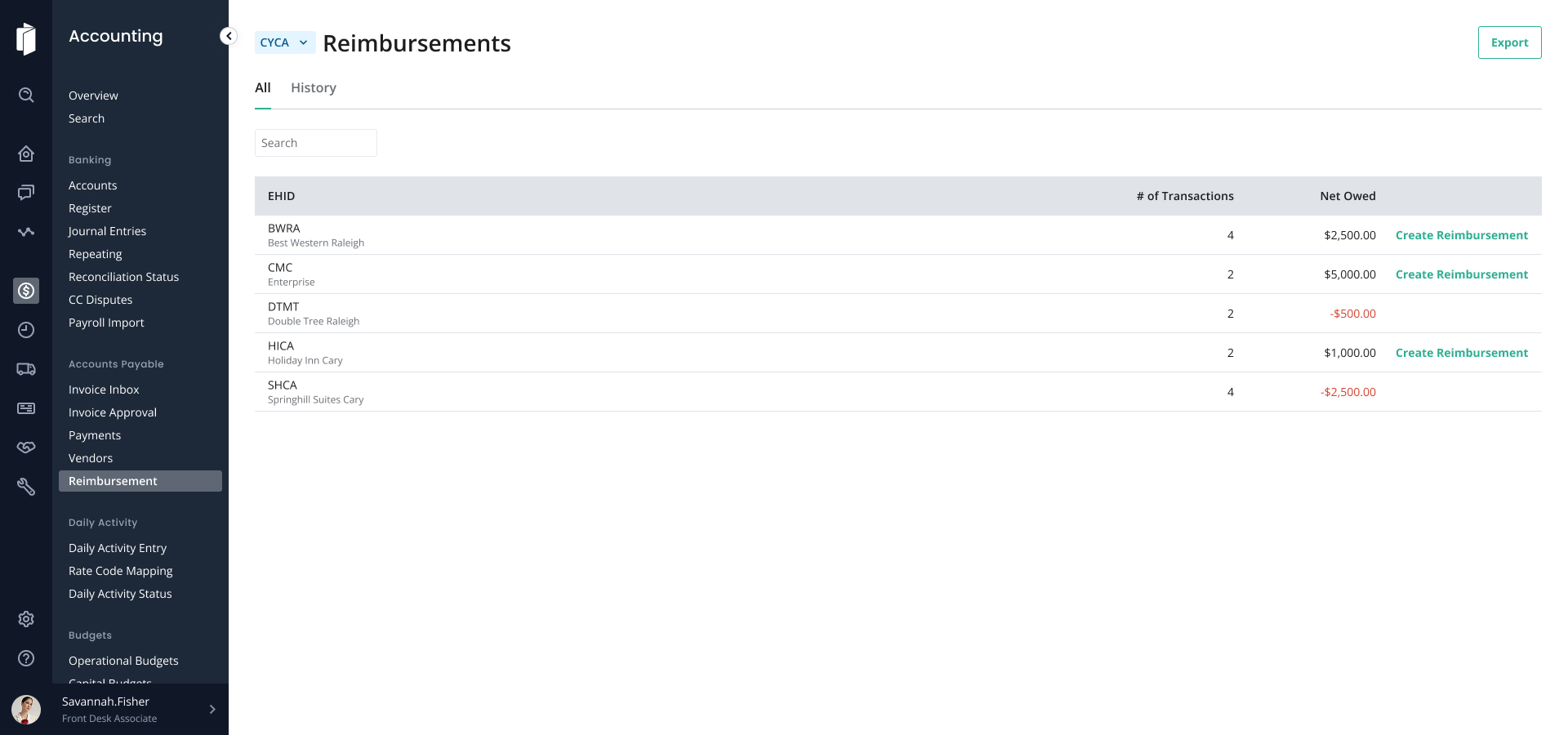
When you open Reimbursements, you'll land on a single list of counterparties. Each row shows:
- The counterparty entity
- The net balance between the selected entity and that counterparty
- A transaction count, reimbursement action, and drill-down link
Reading the Balance
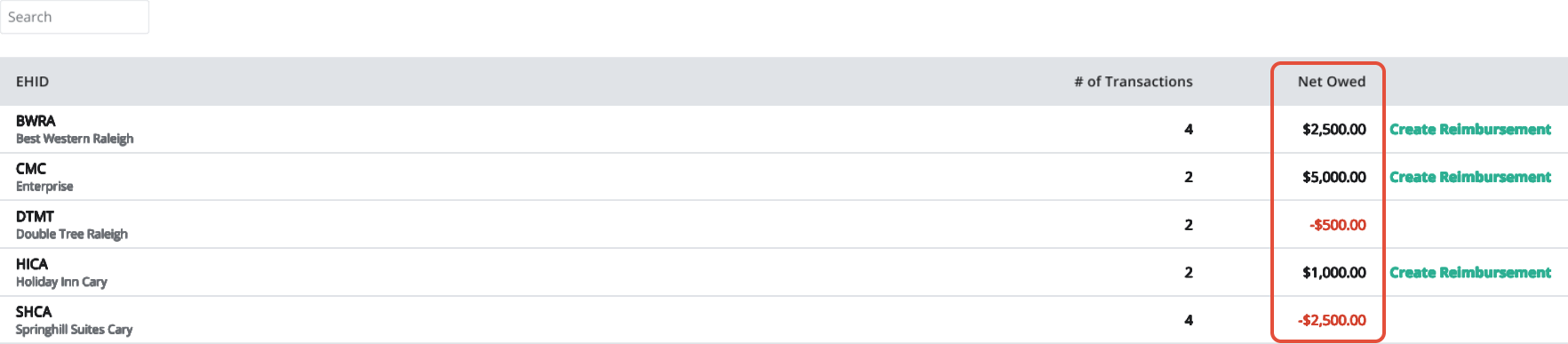
Sign | Meaning |
| Positive | The selected entity owes the counterparty. |
| Negative | The counterparty owes the selected entity. |
| Zero | The balances are settled. |
Switching Entity Context
You can switch entity context using the entity selector at the top of the page. The net balance on each row recalculates automatically from the perspective of the entity you've selected.
Enterprise vs. EHID View
- Enterprise view: See every counterparty relationship across the portfolio.
- EHID view: See only the relationships for the property you've selected.
What's different from the previous experience: Previously, Reimbursements was accessed through the Register's triple-dot Reimburse option and showed amounts owed from each hotel to the enterprise. In 2.0, Reimbursements is its own landing page and shows a row per counterparty relationship in any direction — any entity can be on either side — with positive and negative activity netted for you.
Was this article helpful?
That’s Great!
Thank you for your feedback
Sorry! We couldn't be helpful
Thank you for your feedback
Feedback sent
We appreciate your effort and will try to fix the article