Who Can Create a Reimbursement
Users with the standard Reimbursements permission, scoped to the EHIDs you have access to.
The Rules
Reimbursements 2.0 enforces a set of rules at creation time:
- You can only reimburse what's owed. The selected total must be greater than or equal to zero.
- You can't reimburse more than the balance. The selected total must be less than or equal to the total balance owed.
- No advances. You cannot create a reimbursement against a negative net balance. If a counterparty owes the selected entity, Reimbursements 2.0 will not let you pre-pay.
- Partial is allowed. You can select a subset of transactions instead of the full balance.
- Netting is allowed. You can include both positive and negative transactions in the same reimbursement, as long as the net is non-negative and within the balance.
How to Create One
- From the Net Balance View, click the counterparty row you want to reimburse.

- The transaction drill-down opens.
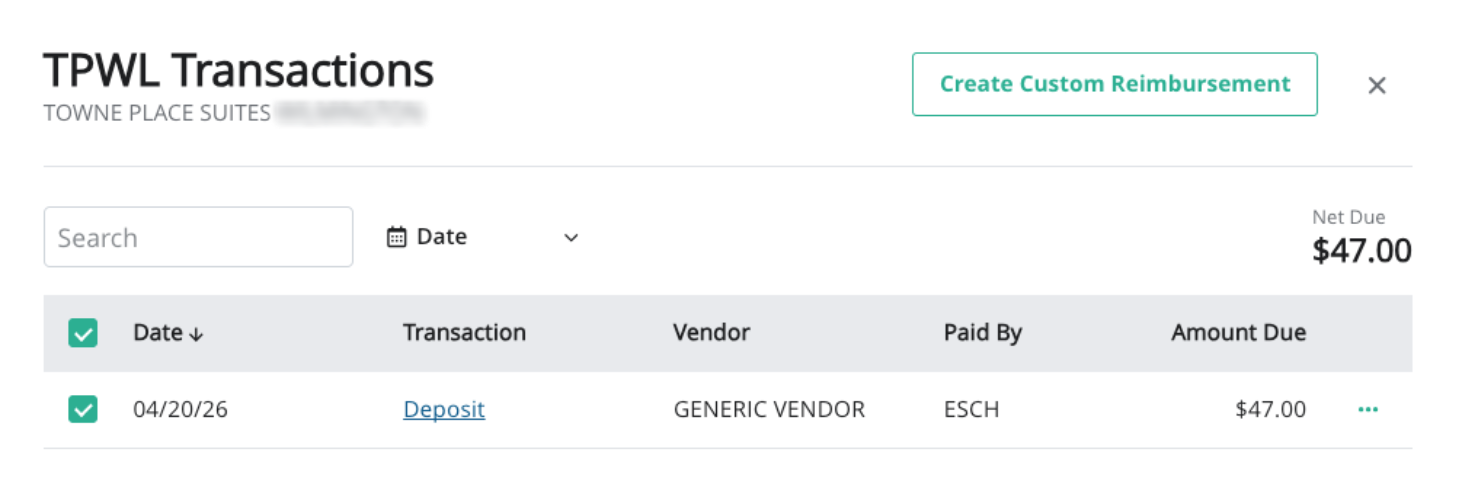
- Select the transactions you want to include. The running total updates as you select.
- Click Create Reimbursement.

- Review the reimbursement summary and confirm.
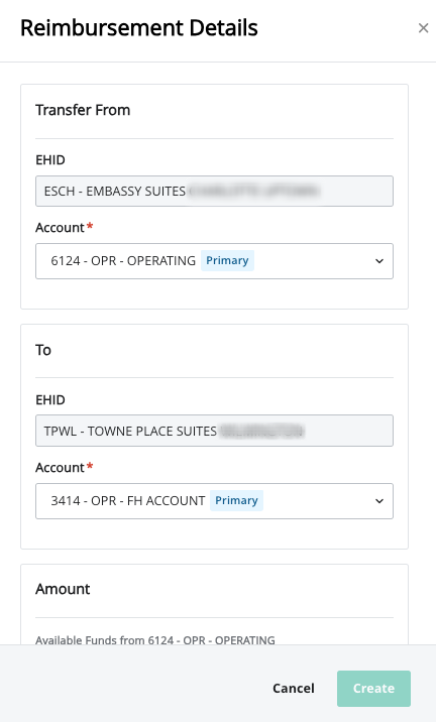
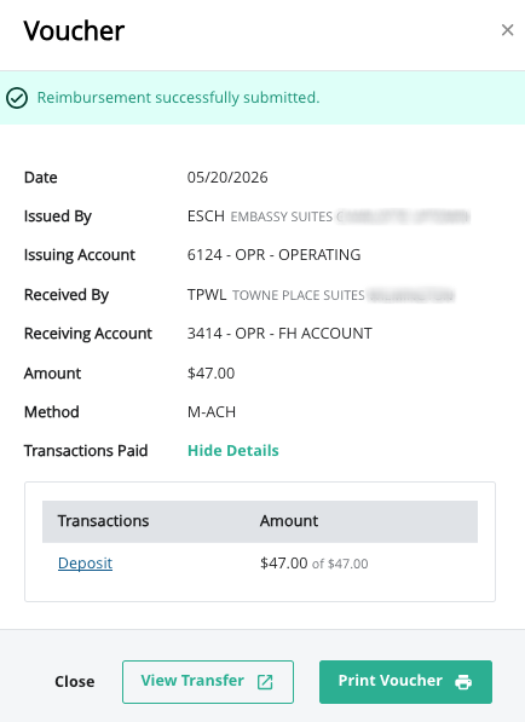
- Inn-Flow posts the reimbursement to the appropriate accounts and generates a voucher.
When You'll Be Blocked
You'll see a validation message if:
- Your selected total is negative (no advances allowed).
- Your selected total exceeds the available balance.
- You don't have permission on one or more of the EHIDs involved.
Was this article helpful?
That’s Great!
Thank you for your feedback
Sorry! We couldn't be helpful
Thank you for your feedback
Feedback sent
We appreciate your effort and will try to fix the article