FOSSE Segmentation Variances
In the past, FOSSE PMS users experienced a variance in Segmentation anytime a guest stayed and paid with points. Since the FOSSE Daily Segmentation Report does not reflect 'point stays', no values were imported into the Segmentation section of Daily Activity.
To correct this, you can now map the MBV Redemption Rate Code to import the dollar amount found on the Daily Closing Report.
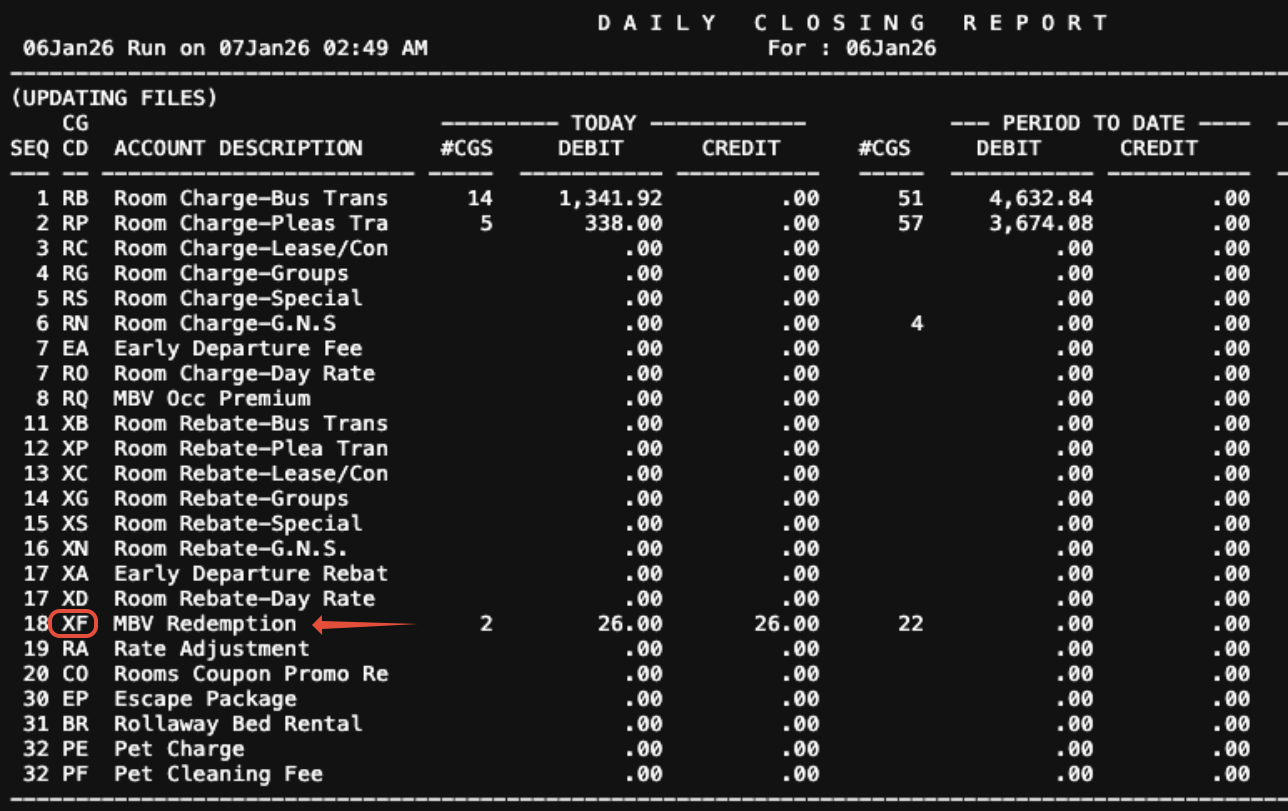
Step 1: Locate the Charge code Identifier for MBV Redemptions on the Daily Closing Report. In the example below, the identifier is XF.
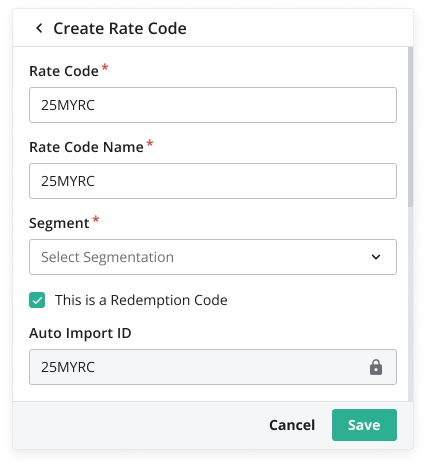
Step 2: Navigate to Accounting > Rate Code Mapping. Locate the Rate Code associated with the MBV Redemptions for your property. Click to open the Rate Code Details. In the example below, this is 25MRYC.
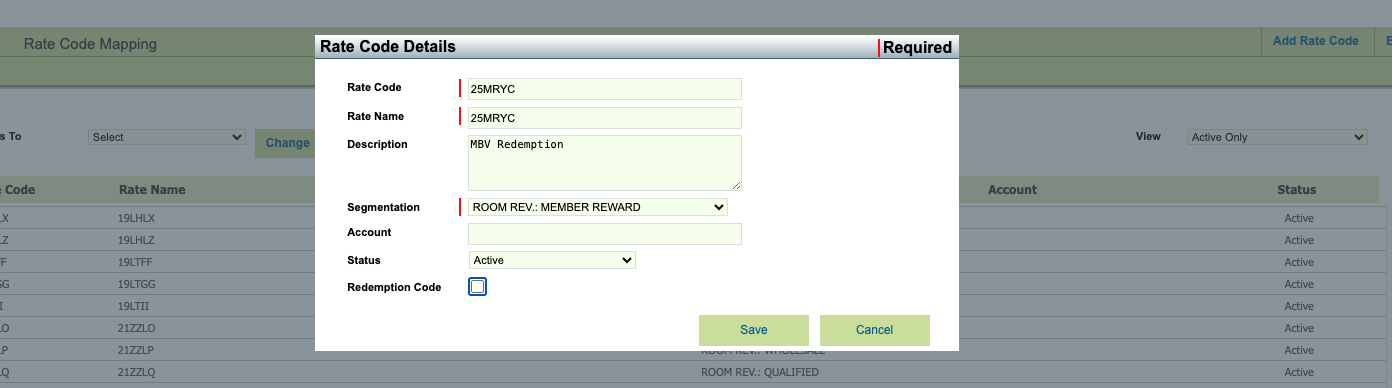
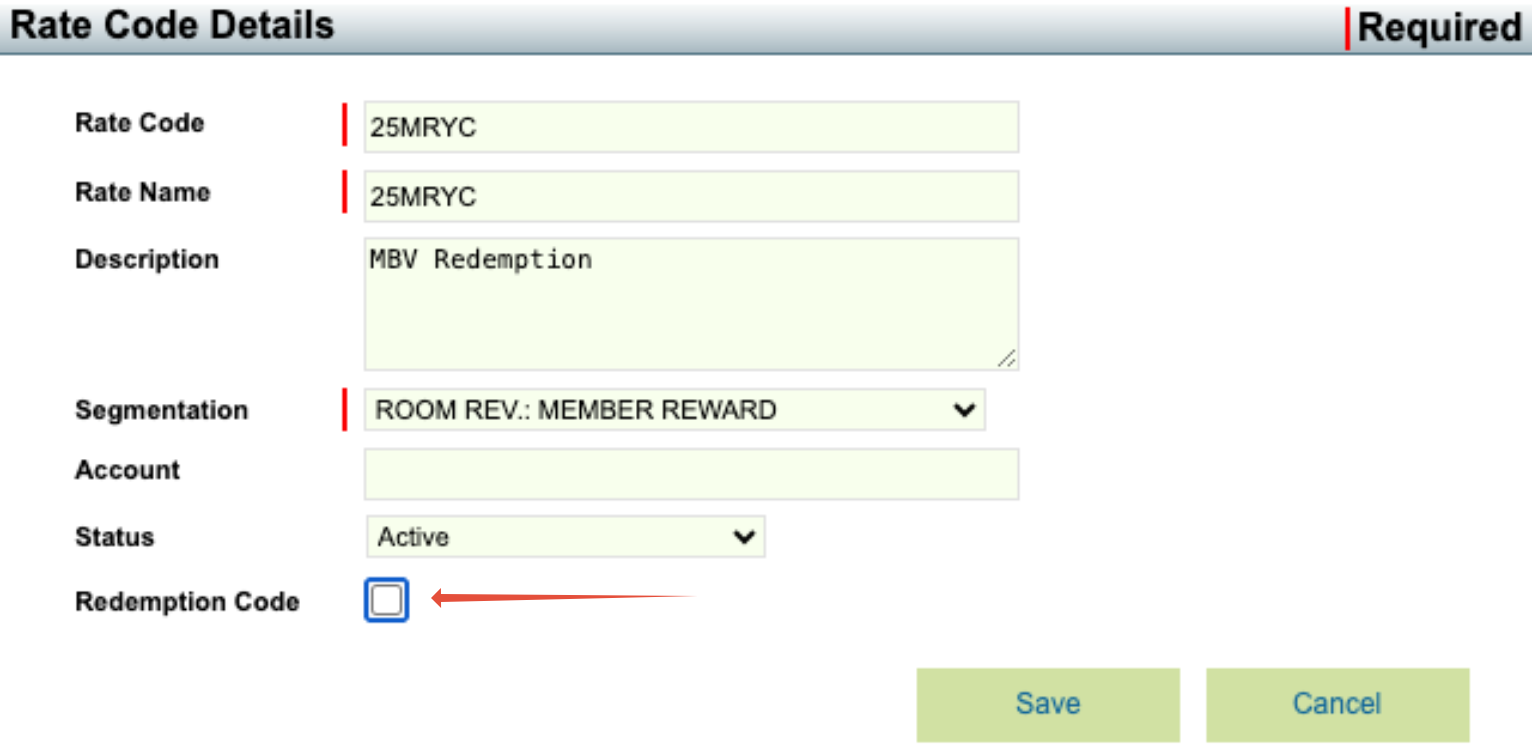
Step 3: Click on the checkbox beside Redemption Code. This indicates that this Rate code is related to the Redemption charges.
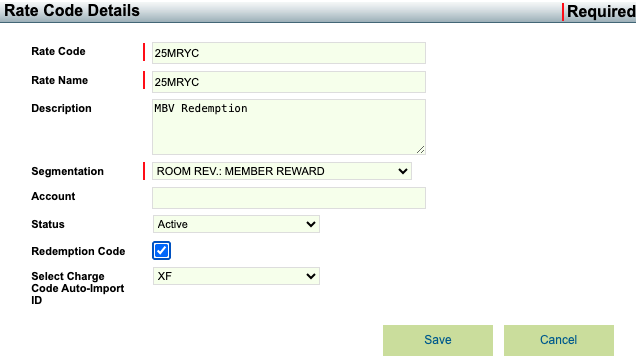
Step 4: In the dropdown menu that appears, select the Charge Code identifier that you located in Step 1 above. Save.
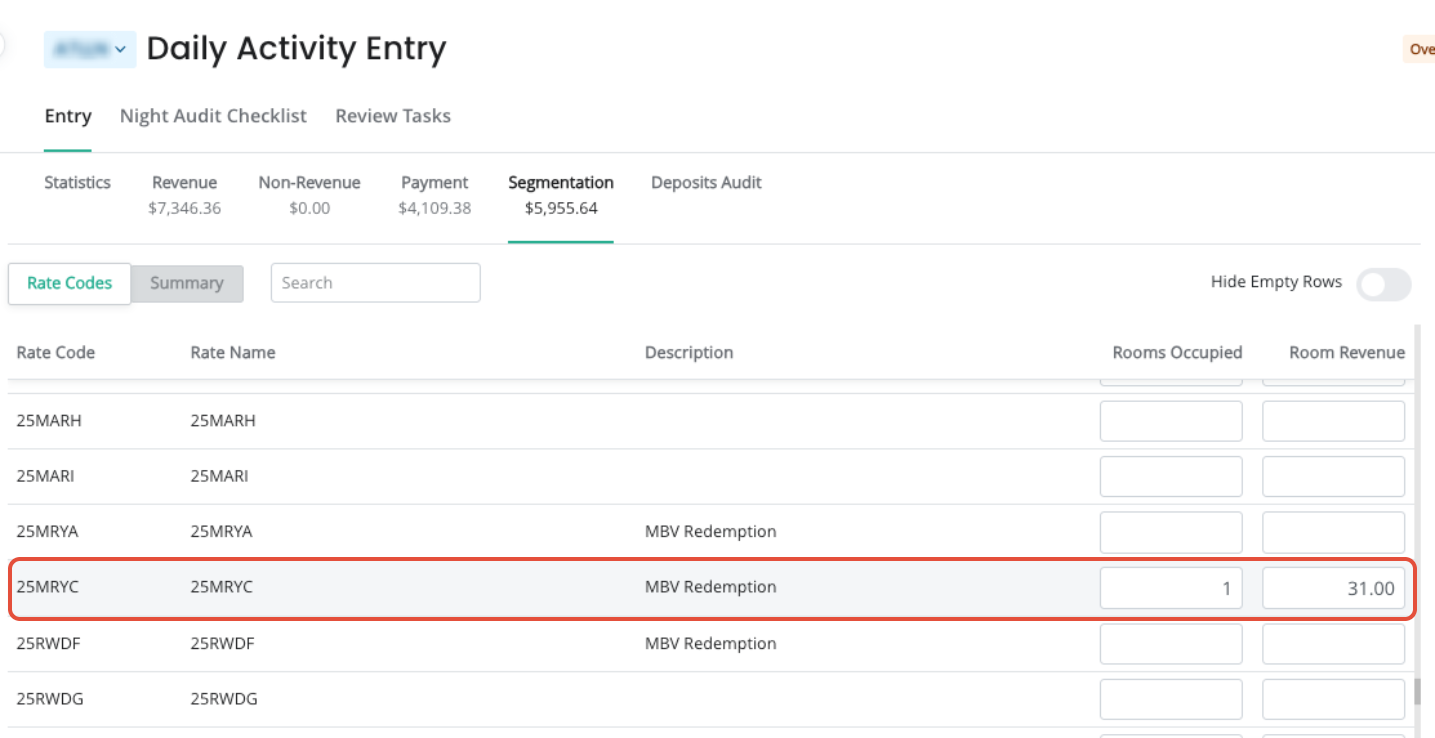
Step 5: Return to Accounting > Daily Activity Entry, and select Re-Import to test that the updates have been saved. Within the Segmentation section, verify that the amount for the MBV Redemption charge has imported successfully.
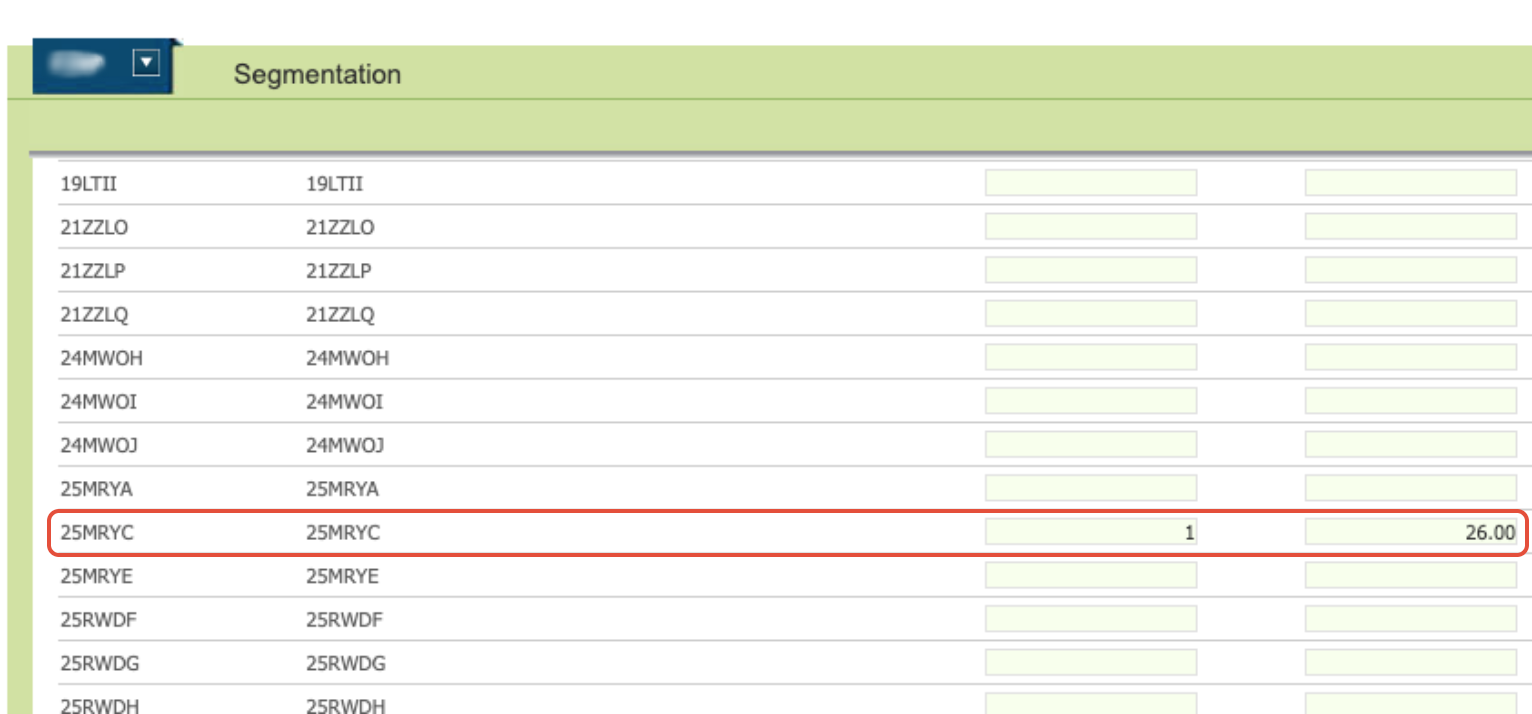
For future dates, the amount found on the Daily Closing Report for the XF - MBV Redemption Charge will import into the segmentation section for the Rate Code which was mapped using the steps above.
Note: If this is a new code to be mapped in Daily Activity 2.0, this can be completed directly from the Codes tab.
Was this article helpful?
That’s Great!
Thank you for your feedback
Sorry! We couldn't be helpful
Thank you for your feedback
Feedback sent
We appreciate your effort and will try to fix the article