The article below outlines the instructions for entering the Daily Activity for a Restaurant's POS (Point of Sale) system that is not integrated with the hotel's PMS System. In this case, the POS data is manually entered on top of the hotel PMS data.
Log into Inn-Flow and select Daily Activity Entry 2.0 on the left navigation.
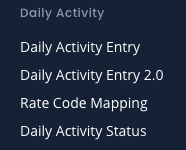
Ensure the correct entity ID is showing on the top left of the page. Select the date of the entry that you are entering Daily Sales for.
Step 1:
Ensure that your PMS Data is entered and the date is fully balanced, with no variances.
Step 2: Using the POS reports for that date, enter the Restaurant data into the Revenue, Non-Revenue and Payment section. The Revenue section will contain all revenue amounts per category, gratuity, tips and discounts. The Non-Revenue section is the Taxes, and the Payment section is for all payment types - credit cards and cash.
Typically there are no Statistics or Segmentation entered as this is more functionality used at hotels, and this information is pulled from the PMS data previously entered and balanced.
Once all fields have been entered in Inn-Flow, review the data to ensure accuracy and balancing.
If there is a balance forward variance on the top right, double check the numbers as you may have mistyped or missed a value during entry.
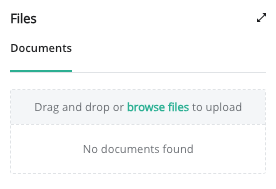
Step 3: In the files section, please upload a PDF copy of the Reports from the POS. This is critical if you ever need to reference a prior day, or if another team member needs to review the entry.
If you continue to have a variance, reach out to Inn-Flow Support for assistance using the Chat feature or by emailing support@inn-flow.com
Once the daily activity data has been uploaded, the PDF report has been uploaded in the files section, and no variance exists, complete the Night Audit Checklist steps and Complete Entry to move forward to the next day.
Was this article helpful?
That’s Great!
Thank you for your feedback
Sorry! We couldn't be helpful
Thank you for your feedback
Feedback sent
We appreciate your effort and will try to fix the article